
Why HDR Performance Matters More Than Resolution in a Home Theater
Key Takeaways:
|
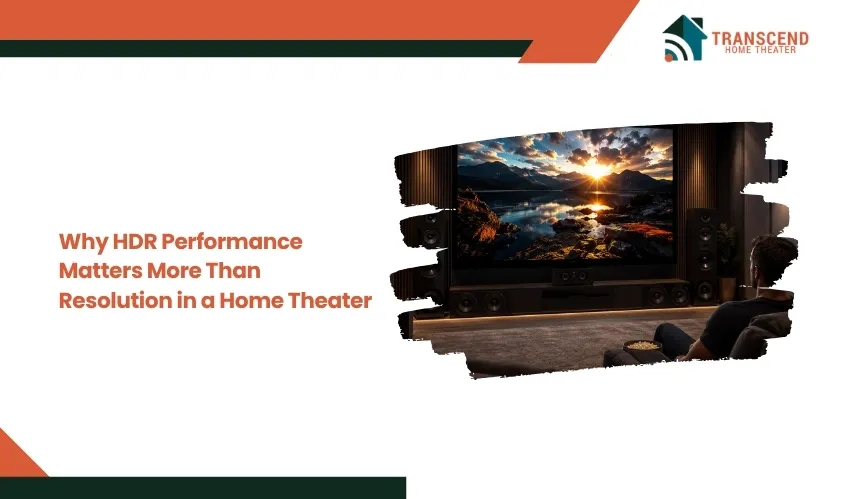
A higher resolution does not automatically produce a better home theater image. While 4K and 8K increase pixel count, they do not determine how bright highlights appear, how deep blacks look, or how much detail remains visible in dark and bright scenes.
HDR performance often creates the more noticeable upgrade because it improves contrast, brightness, color volume, and overall image depth.
This article explains why those factors usually matter more than additional resolution and how to prioritize them when choosing a television or projector.
Resolution Alone Does Not Determine Picture Quality
Resolution is only one component of image quality. While a higher pixel count increases the amount of visual detail a display can reproduce, the realism of a home theater image depends on how accurately the display renders brightness, contrast, color, and fine tonal differences.
Resolution Measures Detail, Not Image Realism
Resolution defines the number of pixels displayed on the screen. A 4K display contains roughly four times as many pixels as Full HD, while an 8K display quadruples that count again. More pixels allow finer textures, sharper edges, and greater image clarity, particularly on larger screens.
However, pixels only represent image information. They do not determine how bright a highlight appears, how deep black levels remain, or how accurately colors transition across a scene. Those characteristics are controlled by the display’s panel technology, contrast performance, color reproduction, and HDR processing. As a result, two televisions with the same 4K resolution can produce dramatically different viewing experiences.
Why Does Viewing Distance Affect the Benefit of Higher Resolution?
The ability to perceive additional pixels depends on screen size, seating distance, and the limits of human visual acuity. As viewers move farther from the screen, individual pixels become increasingly difficult to distinguish, reducing the visible advantage of higher resolutions.
For many home theater setups, a properly sized 4K display already exceeds what the human eye can resolve from normal seating distances. In these situations, increasing the resolution to 8K produces only subtle improvements, while enhancements in contrast and dynamic range remain immediately visible across the entire image.
Better Pixels Can Matter More Than More Pixels
Picture quality is determined by how each pixel performs, not simply by how many pixels exist. A display capable of producing brighter highlights, richer colors, smoother tonal transitions, and deeper blacks creates a greater sense of depth and realism than a display that only increases pixel density.
This distinction explains why a well-engineered 4K display with excellent HDR performance often appears more lifelike than an 8K display with limited brightness, weak contrast, or poor color accuracy. In practical viewing conditions, image quality improvements that affect every pixel usually have a greater visual impact than adding more pixels alone.
What Strong HDR Performance Adds to the Image
HDR changes how a display reproduces light, color, and contrast rather than increasing the number of pixels on the screen. When implemented well, it preserves more visual information across the brightest and darkest parts of a scene, making images appear more natural and immersive.
Brighter Highlights and Greater Dynamic Range
High Dynamic Range expands the difference between the darkest shadows and the brightest highlights a display can reproduce simultaneously. Instead of compressing bright areas into flat white regions, HDR preserves detail in elements such as sunlight reflecting off water, metallic surfaces, fire, headlights, and explosions.
This wider luminance range creates a stronger sense of depth because bright objects maintain texture while surrounding areas remain properly exposed. The result is an image that more closely resembles how the human eye perceives real-world lighting.
Deeper Blacks and Stronger Contrast
Contrast determines how convincingly a display separates light from dark. Strong HDR performance relies on the ability to maintain deep black levels while displaying bright highlights within the same frame, preventing scenes from appearing washed out or lacking dimensionality.
Improved contrast also reveals subtle shadow detail that can disappear on displays with limited dynamic range. Dark movie scenes retain visible textures in clothing, architecture, and landscapes instead of blending into solid black areas, allowing viewers to see more of the filmmaker’s intended image.
Wider Color Gamut and Higher Color Volume
HDR content is typically mastered using a wider color gamut, enabling compatible displays to reproduce a broader range of colors than Standard Dynamic Range content. This allows foliage, skies, skin tones, and cinematic lighting effects to appear more accurate rather than simply more vibrant.
Color volume further determines how well those colors remain consistent at different brightness levels. A display with strong color volume can reproduce rich, saturated colors even during bright scenes, maintaining realism without sacrificing intensity.
Many newer and renovated homes in Bethesda, MD feature open living areas with large windows that introduce significant natural light during the day. In these environments, a display with stronger HDR brightness and effective contrast retention is better equipped to preserve image detail than one that simply offers a higher resolution.
Why HDR Is Often More Noticeable Than the Jump From 4K to 8K
For most home theater systems, HDR influences how every scene is displayed, while higher resolution only adds visible detail under specific viewing conditions. This difference explains why many viewers perceive a stronger improvement from HDR than from moving beyond 4K.
Why Does HDR Change the Entire Image?
HDR affects multiple aspects of image reproduction at the same time, including luminance, contrast, color accuracy, and tonal gradation. Every frame benefits from these improvements because bright highlights retain detail, shadow areas reveal more texture, and colors appear closer to the original master.
Resolution, by comparison, only increases spatial detail. Unless the source content, display size, and seating distance allow those extra pixels to be resolved by the human eye, much of that additional detail remains difficult to perceive. HDR therefore delivers a more consistent improvement across movies, television, and games because it enhances characteristics that viewers notice immediately.
Why Do Resolution Gains Become Less Noticeable After 4K?
The transition from Full HD to 4K significantly increases image sharpness, especially on larger displays. Beyond that point, the visual advantage of moving to 8K becomes increasingly dependent on unusually large screens or very close viewing distances.
Most home theater installations are designed around seating positions that balance immersion and comfort rather than maximizing pixel visibility. Under these conditions, improvements in brightness, contrast, and color reproduction continue to produce meaningful visual gains long after additional resolution reaches diminishing returns.
How Does Content Quality Influence the HDR Experience?
Even the most capable display cannot outperform the quality of the source material. HDR content mastered with a wide dynamic range preserves highlight detail, shadow information, and color precision that standard content cannot provide. Conversely, aggressive streaming compression or poorly mastered video can reduce many of HDR’s intended benefits.
The playback chain also plays a critical role. Streaming devices, Ultra HD Blu-ray players, AV receivers, and media settings must all support the appropriate HDR format to reproduce the content accurately.
In many Maryland homes, high-speed fiber internet has expanded access to premium HDR streaming services, but streaming quality can still vary based on bandwidth fluctuations and compression levels. For viewers building a home theater, evaluating both the source quality and the display’s HDR capabilities is often more valuable than focusing solely on higher resolution specifications.
The Factors That Determine Real HDR Performance
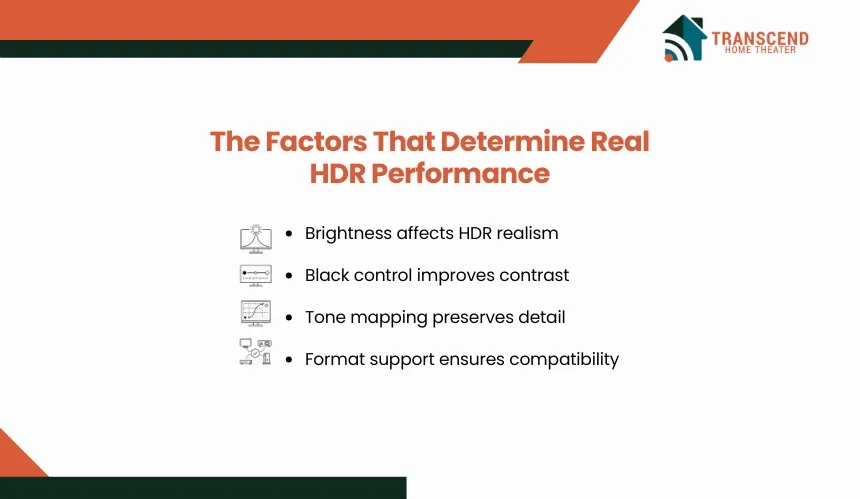
Not every display labeled “HDR” delivers the same viewing experience. Meaningful HDR performance depends on several hardware and processing capabilities working together, which is why specifications beyond the HDR badge deserve close attention before purchasing a television or projector.
Peak Brightness and Sustained Brightness
Peak brightness determines how intensely a display can reproduce small highlights, such as reflections, fireworks, or bright light sources. Sustained brightness measures how well the display maintains that luminance over larger portions of the screen without automatically dimming the image.
Both measurements influence HDR realism. A display with high peak brightness but poor sustained brightness may produce impressive highlights in isolated moments while losing impact during scenes with widespread daylight or snow. Consistent brightness across different scene types allows HDR content to maintain its intended visual balance.
Black-Level Control and Local Contrast
HDR relies on strong contrast as much as high brightness. To produce convincing depth, a display must keep dark areas truly dark while preserving detail within those shadows.
Different display technologies achieve this in different ways. OLED panels control the light output of individual pixels, enabling exceptional black levels. LED televisions typically use local dimming zones to improve contrast by adjusting groups of backlights independently. The effectiveness of these systems influences blooming, shadow detail, and the overall perception of depth in HDR scenes.
Why Does Tone Mapping Matter?
HDR movies and television shows are often mastered at brightness levels that exceed what most consumer displays can reproduce. Tone mapping intelligently compresses that brightness range so important highlight and shadow details remain visible instead of becoming clipped or excessively dark.
Effective tone mapping continuously balances brightness, contrast, and color to match the capabilities of the display. Poor implementation can cause bright scenes to lose texture or make darker sequences appear flat, even on hardware with otherwise strong HDR specifications.
HDR Formats and Source Compatibility
HDR performance also depends on whether the display supports the format used by the content. HDR10 serves as the baseline standard for most Ultra HD content, while HDR10+ and Dolby Vision use dynamic metadata to optimize brightness and tone mapping on a scene-by-scene or frame-by-frame basis. Hybrid Log-Gamma (HLG) is commonly used for broadcast applications.
Before selecting a display, verify that its HDR format support matches the streaming services, gaming consoles, or Ultra HD Blu-ray players you use most frequently. A well-matched ecosystem allows the display to reproduce HDR content as intended rather than falling back to a more limited presentation.
How the Room and Equipment Chain Affect HDR Results
HDR performance depends on more than the display itself. Room lighting, screen technology, signal bandwidth, and device configuration can either preserve the intended dynamic range or reduce it before the image reaches the viewer.
How Does Ambient Light Reduce HDR Impact?
Ambient light raises the visible black floor of the room, making dark portions of the image appear gray and reducing perceived contrast. Bright windows, overhead fixtures, and light-colored surfaces can also reflect onto the screen, masking shadow detail and weakening the separation between highlights and darker areas.
Light control becomes especially important for evening movie viewing and dark cinematic content. Blackout shades, dimmable fixtures, darker wall finishes, and careful display placement allow the screen to preserve contrast without requiring excessive brightness.
In multipurpose rooms, an anti-reflective television panel may deliver more consistent HDR performance than a projector that depends on near-dark conditions.
Television Versus Projector HDR Performance
Televisions generally reproduce HDR highlights more effectively because they generate direct light at substantially higher luminance levels. OLED displays provide pixel-level black control, while premium LED and Mini-LED televisions combine high brightness with local dimming to preserve contrast in rooms used during the day.
Projectors create an image by reflecting light from a screen, which limits peak brightness and makes performance more dependent on room darkness, screen gain, image size, and tone mapping. Although projected HDR highlights are usually less intense, the larger image can produce greater cinematic immersion in a properly controlled space.
For a home theater installation in Bethesda, MD, the room itself often determines the better option. A remodeled lower level in a brick Colonial or split-level home may provide the darkness needed for projection, but ceiling height, support beams, window wells, and limited projector throw distance must be measured before selecting the screen size.
In an expanded main-floor family room with large windows, a high-brightness OLED or Mini-LED television will usually retain HDR contrast more reliably during daytime viewing.
How to Prioritize HDR When Choosing a Home Theater Display
Choosing between televisions and projectors involves more than comparing resolution or marketing labels. Evaluating measurable HDR performance alongside your viewing environment and content preferences leads to a system that delivers consistently better picture quality over time.
Evaluate Performance Instead of the HDR Label
An HDR logo only indicates that a display accepts an HDR signal. It does not reveal how effectively the display reproduces that content. Before making a purchase, compare independent performance measurements rather than relying solely on manufacturer specifications.
Pay close attention to factors such as:
- Peak and sustained brightness
- Native contrast ratio and black-level performance
- Local dimming or pixel-level light control
- Color gamut and color volume
- Tone mapping quality
- Support for HDR10, HDR10+, and Dolby Vision
These characteristics have a greater influence on real-world HDR performance than resolution alone, especially when comparing similarly sized displays.
Match the Display to the Viewing Environment
The best display is the one that complements the room in which it will be used. A bright living room, a dedicated media room, and a basement theater each place different demands on HDR performance.
For many homeowners in Bethesda, MD, the decision is influenced by the home’s layout. Older Colonials and Cape Cod homes often feature enclosed basement spaces that naturally reduce ambient light, making them well suited for projector-based theaters.
Newer custom homes and renovated open-concept living areas typically include expansive windows that benefit from high-brightness televisions with strong anti-reflective coatings. Evaluating the room before selecting the display often produces a better result than choosing equipment based solely on specifications.
Prioritize 4K With Strong HDR Before Paying for 8K
For most home theater buyers, investing in better HDR performance provides a greater improvement than paying a premium for 8K resolution. A well-calibrated 4K display with excellent brightness, contrast, color accuracy, and image processing will outperform an 8K display that lacks the hardware needed to reproduce HDR content effectively.
If the budget requires a tradeoff, prioritize display quality over pixel count. Strong HDR capabilities continue to improve movies, streaming content, live sports, and gaming every time you watch, making them a more valuable long-term investment for most home theater systems.
The best home theater experience starts with choosing the right technology, not just the highest resolution. Transcend Home Theater designs and installs custom home theater systems, smart home automation, whole home audio, Wi-Fi networks, smart lighting, motorized window shades, and smart security solutions for homeowners throughout Virginia, Maryland, and Washington, DC.
Frequently Asked Questions
Why does HDR sometimes look too dark on streaming services?
HDR may appear too dark when the content is mastered for higher brightness than the display can produce, the room has excessive ambient light, or the television applies weak tone mapping. Incorrect picture modes can worsen the issue. Use the display’s Cinema, Filmmaker, or calibrated HDR mode instead of manually increasing every brightness setting.
Should HDR stay enabled all the time on a television or streaming device?
HDR should activate only when the source content contains genuine HDR metadata. Forcing constant HDR output can convert Standard Dynamic Range content inaccurately, producing raised blacks, unnatural colors, or inconsistent brightness. Enable content-matching settings on Apple TV, Roku, Fire TV, and other streaming devices so each program displays in its native dynamic range.
Is Dolby Vision worth prioritizing when choosing a home theater display?
Dolby Vision can improve scene-by-scene tone mapping through dynamic metadata, particularly on televisions with limited peak brightness. However, panel quality, contrast control, and image processing remain more influential than format support alone. A strong HDR10 display will usually outperform a weaker television that includes Dolby Vision primarily as a marketing feature.
Does professional calibration make a noticeable difference for HDR?
Professional calibration can correct grayscale balance, color accuracy, gamma, clipping, and HDR tone-mapping behavior for the specific display and room. The improvement is most noticeable on premium televisions, projectors, and dedicated theaters. Calibration cannot overcome weak hardware, but it can ensure capable equipment reproduces content without exaggerated colors or lost shadow detail.
Is OLED burn-in a serious concern for HDR movies and gaming?
Burn-in risk is generally low for varied viewing but increases when static elements remain on-screen for extended periods. News tickers, game HUDs, channel logos, and paused menus create more risk than movies. Modern OLED televisions use pixel shifting, logo dimming, and compensation cycles, but users should still avoid repeatedly displaying fixed high-brightness graphics.