
How to Eliminate Audio Delay, Lip-Sync Issues & Signal Lag in Home Theaters

A Quick Answer: Audio delay, lip-sync issues, and signal lag in home theaters are eliminated by identifying where timing mismatches occur in the audio-video signal path, then correcting them through precise device settings, processing adjustments, or connection optimization. Most sync problems are caused by signal processing delays rather than faulty equipment, and they can be resolved with targeted configuration rather than replacement. |
Even a well-designed home theater can suffer from sound arriving slightly late, dialogue not matching mouth movement, or noticeable lag between action and audio cues. These issues disrupt immersion quickly and often create frustration because they seem inconsistent or difficult to trace.
The delay might originate from audio decoding, video processing, signal conversion, or how multiple components interact. This article focuses on eliminating audio delay by breaking the problem into clear, manageable parts.
Understanding Audio Delay, Lip-Sync Issues, and Signal Lag in Home Theater Systems
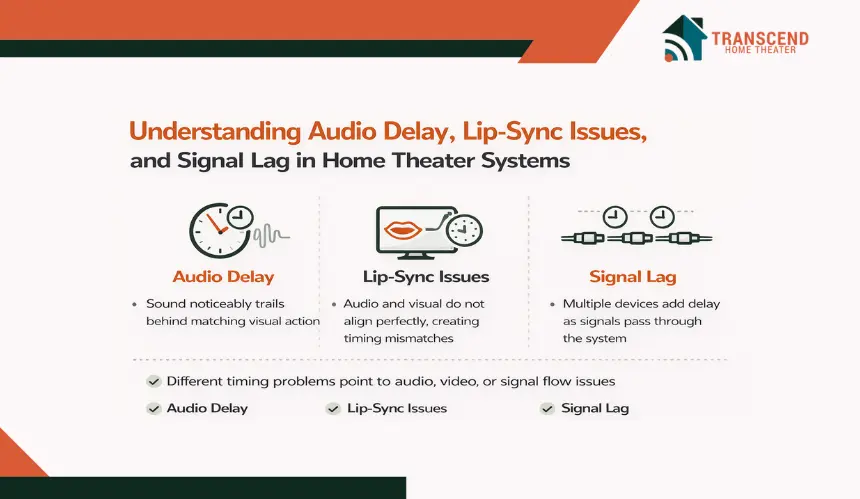
Before any adjustment or fix can work, it is essential to understand what type of timing problem is actually occurring. Many home theater sync problems are grouped under one label, but audio delay, lip-sync issues, and signal lag describe different behaviors within the system. Treating them as the same issue often leads to incorrect settings changes and inconsistent results.
What Audio Delay Means in a Home Theater Environment
Audio delay occurs when sound reaches the listener noticeably later than the corresponding visual action. This usually happens because audio signals are being decoded, processed, or enhanced before playback.
Surround sound formats, room correction systems, and digital signal processing features all add small amounts of latency. When that processing time exceeds the video delay, sound appears to trail behind the image, especially during dialogue or sharp sound effects.
How Lip-Sync Issues Differ From Simple Audio Delay
Lip-sync issues are timing mismatches rather than outright lateness. In this case, audio and video are both delayed, but not by the same amount. The human brain is highly sensitive to mouth movement and speech alignment, which makes even small discrepancies noticeable.
Lip-sync problems often fluctuate depending on the content source, resolution, or playback format, making them feel unpredictable without a clear technical explanation.
What Signal Lag Refers to in Multi-Device Setups
Signal lag describes cumulative delay introduced as audio and video pass through multiple devices. Televisions, receivers, streaming devices, and consoles each process signals differently.
When these delays stack unevenly, the entire system feels sluggish or misaligned. This type of lag is common in complex home theater setups where signals are converted, scaled, or routed multiple times before reaching the screen and speakers.
Understanding these distinctions sets the foundation for accurate troubleshooting. Each type of timing issue points to a different part of the system, and recognizing the difference prevents unnecessary adjustments that fail to address the real source of the problem.
Common Causes of Audio Delay in Home Theater Systems
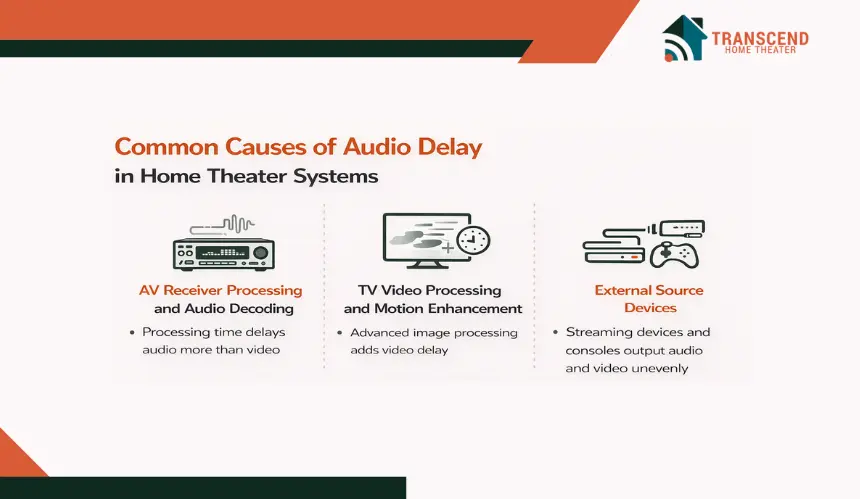
Once timing issues are clearly defined, the next step is understanding why they occur. Audio delay rarely comes from a single fault. In most cases, it develops because different components process audio and video at different speeds.
Each cause affects a specific part of the signal chain, which is why identifying the correct source matters before making changes.
1. AV Receiver Processing and Audio Decoding
AV receivers handle decoding, channel distribution, and sound enhancement before audio reaches the speakers. Surround sound formats, digital signal processing modes, and room calibration systems all require computation time.
When these features are active, audio may be delayed slightly while video passes through with less processing. This imbalance becomes noticeable during dialogue-heavy scenes where timing precision matters most.
2. TV Video Processing and Motion Enhancement
Modern televisions perform extensive video processing behind the scenes. Upscaling, motion enhancement, noise reduction, and frame interpolation all increase the time it takes for the image to appear on screen.
When video processing takes longer than audio processing, sound arrives too early or too late relative to the image. This is a common cause of lip-sync issues even when audio settings appear correct.
3. HDMI ARC and eARC Signal Handling
Audio Return Channel connections simplify wiring but can introduce timing complications. Standard ARC has limited bandwidth and may compress or delay audio signals during transmission.
Enhanced ARC improves synchronization by supporting higher data rates and more accurate timing, but mismatched settings or incompatible devices can still cause delay. These issues often appear inconsistently across apps or inputs.
4. External Source Devices
Streaming devices, gaming consoles, and media players each manage audio and video differently. Some prioritize video stability, while others buffer audio to maintain quality.
App-based streaming introduces additional processing layers that can shift timing slightly. When switching between sources, these differences can make delay appear random even though the system itself has not changed.
Understanding these causes keeps troubleshooting focused and efficient. Each source of delay points toward a specific category of settings or hardware behavior, which prevents unnecessary adjustments that do not address the real timing imbalance.
How to Diagnose Where the Audio Delay Is Coming From
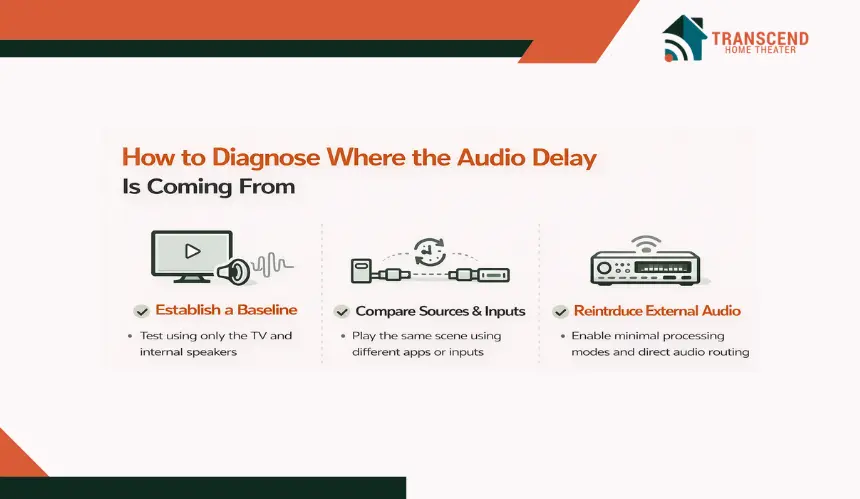
After identifying the common causes of timing issues, the next step is narrowing the problem down to a specific point in the system. Diagnosis is about isolating variables rather than adjusting settings at random.
A structured approach helps reveal whether the delay originates from audio processing, video handling, or signal flow between devices.
Step-by-Step Signal Path Testing
A reliable diagnosis starts by simplifying the system and rebuilding it in a controlled way. The goal is to identify where timing changes occur, not to correct them yet. Using the same short dialogue scene throughout testing makes differences easier to notice and compare.
- Establish a baseline using the TV only: Disconnect or disable external audio and play content through the TV’s internal speakers. If lip-sync appears correct here, the display and source are likely functioning properly, which indicates the delay is introduced when audio is routed externally.
- Compare different sources and inputs: Play the same scene using different apps or connected devices while keeping all display and audio settings unchanged. If delay appears only on certain sources, the issue is tied to how that device or app handles audio buffering or video output timing.
- Reintroduce external audio with minimal processing: Enable ARC or eARC and reconnect the soundbar or receiver using direct or passthrough audio modes. Avoid surround upmixing or enhancement features during this step. Any new delay points to audio routing or decoding behavior rather than video processing.
- Change the signal flow to isolate the delay point: Connect the source device directly to the receiver or soundbar and send video to the TV separately. If synchronization improves, the timing issue is likely caused by the TV’s audio return path or output format conversion.
This focused process narrows the problem to a specific stage in the signal chain, making later adjustments more accurate and avoiding unnecessary changes that introduce new timing issues.
Content-Based Testing Using Dialogue and Motion
Different types of content expose timing problems in different ways. Dialogue scenes with visible mouth movement make lip-sync issues easier to detect, while fast action scenes highlight broader signal lag. Test multiple scenes rather than relying on a single clip.
Consistent delay across all content points to system-level processing, while scene-specific issues often trace back to source encoding or playback behavior.
Source-Specific Diagnosis Across Inputs and Apps
Switch between streaming apps, physical media, live TV, and external devices using the same display and audio settings. If delay appears only on certain inputs, the issue is likely tied to how that source handles audio buffering or video output. This step is critical because many sync issues are content-source dependent rather than system-wide.
Accurate diagnosis prevents unnecessary changes that introduce new problems. By isolating the exact stage where timing shifts occur, adjustments become precise and effective instead of repetitive and frustrating.
Fixing Audio Delay Using AV Receiver Settings
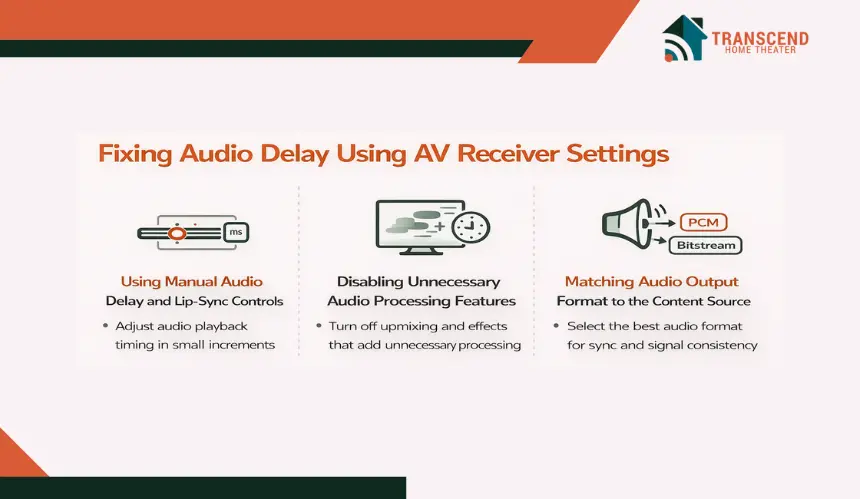
Once the source of the delay is identified, the AV receiver often becomes the most effective place to correct timing issues. Receivers sit at the center of the audio signal path, which gives them direct control over how sound is processed and when it is played.
Small, precise adjustments here usually deliver the most consistent improvement without affecting video quality.
Using Manual Audio Delay and Lip-Sync Controls
Most modern AV receivers include manual audio delay or lip-sync adjustment settings measured in milliseconds. These controls allow sound playback to be aligned precisely with the video signal. Increasing or decreasing the delay slightly can bring dialogue back into sync without altering volume balance or channel output. The key is making incremental changes while observing facial movement rather than applying large offsets at once.
Disabling Unnecessary Audio Processing Features
Advanced audio features add realism, but they also increase processing time. Surround upmixing, sound field simulations, and dialogue enhancement modes require additional computation before audio is sent to the speakers.
Temporarily disabling these features reduces latency and helps determine whether processing layers are contributing to delay. Many systems achieve better sync by prioritizing clean signal flow over enhancement effects.
Matching Audio Output Format to the Content Source
Audio format selection plays a major role in timing behavior. Bitstream output allows the receiver to decode audio formats, which can introduce slight delays depending on processing complexity. PCM output shifts decoding to the source device and often reduces latency.
Testing both options reveals which configuration aligns best with the rest of the system and maintains consistent synchronization across content types.
Receiver-based corrections work best when applied with restraint. Precise tuning at this stage stabilizes timing without masking underlying issues, ensuring audio and video remain aligned across different inputs and viewing scenarios.
Adjusting TV Settings That Cause Lip-Sync Problems
When audio timing adjustments at the receiver do not fully resolve sync issues, the television often becomes the next critical focus point. Modern TVs perform extensive real-time video processing, and even small delays introduced here can throw audio and video out of alignment. Addressing TV-side settings helps balance timing without altering audio hardware behavior.
Motion Smoothing and Frame Interpolation Effects
Motion enhancement features are designed to create smoother visuals, but they require the TV to analyze and generate additional frames before displaying the image. This extra processing time delays video output, which can cause dialogue to fall out of sync with sound.
Disabling motion smoothing, frame interpolation, and similar features reduces video latency and often restores natural alignment during speech-heavy scenes.
Game Mode and Low-Latency Display Settings
Game mode reduces input lag by bypassing nonessential video processing stages. While intended for gaming, it also benefits movie and TV playback by shortening the time it takes for images to appear on screen. Enabling low-latency modes ensures the display processes video more directly, which helps maintain consistent timing when paired with external audio systems.
Audio Output Format and Passthrough Configuration
Televisions can delay audio when converting formats before sending sound to external devices. Selecting passthrough options allows audio to leave the TV without additional processing, reducing latency introduced by format conversion.
Choosing the correct output format ensures the receiver or soundbar handles decoding, which often results in more stable synchronization across different content sources.
Optimizing TV settings minimizes video-side delays that audio adjustments alone cannot fix. When display processing is aligned with audio output behavior, lip-sync issues become easier to correct and far less likely to return.
Fixing Audio Delay in Soundbars and Simplified Systems
Soundbars and streamlined setups are often chosen for their convenience, but they can still introduce timing issues when audio and video are not handled evenly. In many cases, these systems rely heavily on the TV for signal routing, which makes synchronization more sensitive to connection type and internal processing.
Understanding these limitations is especially important during home theater design and installation, where simplicity should not come at the cost of proper signal timing.
Soundbar Audio Delay and Sync Adjustment Controls
Many soundbars include built-in audio delay or sync adjustment settings, though they are often less granular than those found in AV receivers. These controls allow users to slightly delay audio playback to better match the video signal.
Because soundbars process audio internally, even small adjustments can noticeably improve dialogue alignment when the delay is consistent.
HDMI Versus Optical Audio Connections
Connection type has a direct impact on timing behavior. Optical audio connections introduce fixed latency and do not support dynamic lip-sync correction, which can lock delay issues in place.
HDMI connections, especially when using ARC or eARC, allow for better timing coordination between devices. For simplified systems, HDMI is usually the better option for maintaining synchronization across content types.
Wireless Subwoofer and Rear Speaker Latency
Wireless components rely on buffering to maintain stable connections, which adds a small but measurable delay. In some setups, this delay becomes noticeable during fast dialogue or sudden sound cues.
While modern wireless systems are designed to compensate automatically, placement, interference, and signal strength can still affect timing.
Soundbars can deliver clean, immersive sound when configured correctly. By focusing on connection choices and built-in sync controls, simplified systems can achieve reliable audio alignment without the complexity of larger component-based setups.
Advanced Sync Optimization for Complex Home Theater Setups
When basic adjustments no longer resolve timing issues, the problem usually lies in how multiple devices interact rather than how a single setting is configured.
Complex home theater systems introduce layered processing, switching logic, and format negotiation, all of which affect synchronization. This section focuses on refining timing behavior in setups where precision matters most.
Managing Sync Across Multiple Source Devices
Systems with several source devices often experience inconsistent audio timing because each device outputs audio and video differently. Streaming boxes, Blu-ray players, and gaming consoles vary in buffering behavior, frame delivery, and audio decoding priority.
Calibrating sync for the most delay-sensitive source first, typically dialogue-heavy streaming content, creates a stable reference point. From there, minor per-input adjustments prevent noticeable shifts when switching devices.
Addressing Projector-Specific Video Processing Delays
Projectors frequently introduce more video delay than flat-panel displays due to scaling, frame processing, and image enhancement. This extra processing time can push video noticeably behind audio if not accounted for.
Manual audio delay compensation becomes essential in projector-based systems, especially when long HDMI runs or external video processors are involved. Correcting for projector latency restores balance without compromising image quality.
Using Calibration Tools and Sync Test Patterns
Sync test patterns and alignment videos provide a visual and audible reference for precise timing adjustments. These tools allow users to see and hear when audio and video events align accurately.
Using repeatable test content removes subjective guesswork and ensures changes are based on measurable results rather than perception alone. This approach is particularly valuable in systems with multiple processing stages.
Advanced optimization focuses on consistency rather than perfection for a single source. By aligning timing behavior across devices and display technologies, complex home theater systems maintain stable synchronization regardless of content type or playback format.
If audio delay or lip-sync issues are holding your system back, it may be time for a professional touch. Transcend Home Theater specializes in fine-tuning performance where small timing details make a big difference.
From precise calibration to system-level optimization, expert adjustments can restore seamless synchronization and bring your home theater experience back to life.
Frequently Asked Questions
Why does audio go out of sync only during live sports or broadcasts?
Live broadcasts are often processed differently than on-demand content. Variable frame rates, real-time compression, and broadcast signal buffering can introduce timing inconsistencies that are not present in streaming apps or physical media. These fluctuations make live sports one of the most common scenarios where sync issues suddenly become noticeable.
Can HDMI 2.1 features affect audio and video synchronization?
Proper manual calibration often improves perceived impact at lower volumes. When timing, balance, and integration are correct, detail and spatial cues remain intact without needing excessive volume, making late-night or moderate listening more satisfying.
Do firmware updates actually fix lip-sync and audio delay problems?
Firmware updates often address timing bugs, HDMI handshake issues, and processing inefficiencies that affect synchronization. Many manufacturers release updates specifically to improve compatibility with streaming platforms or new audio formats. Keeping all devices updated helps prevent timing issues that are not solvable through manual settings alone.
Why does audio delay change when advertisements play during streaming?
Advertisements are frequently delivered in different audio formats, bitrates, or loudness standards than the main content. When the system switches formats mid-playback, brief timing shifts can occur. This behavior is content-driven rather than a system fault and is becoming more common as ad delivery becomes more dynamic.
Can wireless surround speakers cause intermittent sync problems?
Wireless speakers rely on buffering to maintain stable connections, which can fluctuate slightly depending on signal conditions. Interference, distance, or network congestion may cause temporary timing adjustments that are not present in wired setups. These issues tend to appear intermittently rather than consistently.
Does AI-based video upscaling increase the risk of lip-sync issues?
AI-driven upscaling requires additional video analysis before frames are displayed. While this improves image clarity, it can add small amounts of video latency. If audio processing does not match that added delay, synchronization can drift, especially in systems where upscaling is handled by the display rather than the source device.