
Future Video Formats: 8K, HFR & Next-Gen Codecs in Home Theater Design
Key Takeaways
|
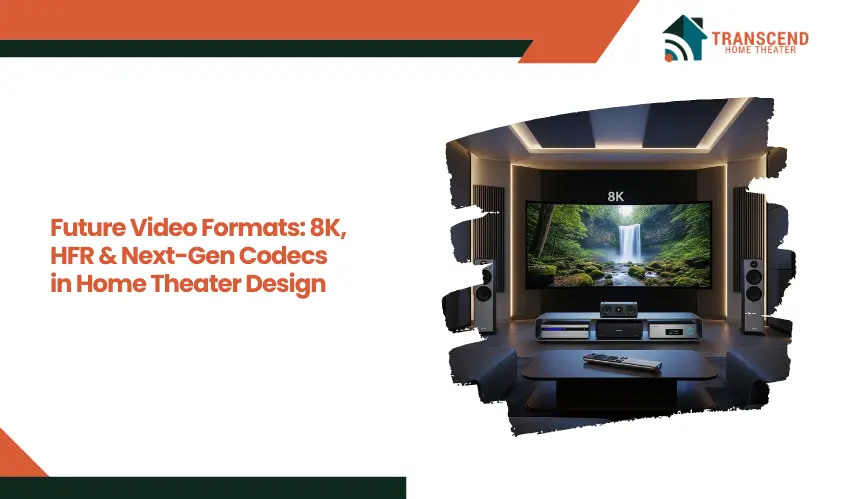
Home theater technology is entering a decisive transition phase. Displays are moving toward 8K resolution, content is expanding into higher frame rates such as 60fps and 120fps, and next-generation codecs like AV1 and VVC are redefining how video is delivered over streaming networks.
For homeowners planning a dedicated media room or upgrading an existing AV setup, these shifts are not theoretical. They directly affect display choice, bandwidth requirements, signal chain design, and long-term system compatibility.
This article explores how 8K, High Frame Rate content, and next-generation codecs are shaping modern home theater design.
8K Resolution in Home Theater: Is It Practical Or Premature?
Resolution often dominates the marketing conversation around modern displays. However, 8K adoption in a home theater environment depends on more than pixel count.
Viewing distance, screen size, content availability, signal bandwidth, and processing capability all determine whether 8K delivers meaningful visual improvement or simply adds cost.
Understanding when 8K makes practical sense requires separating perception from specification sheets.
What Does 8K Resolution Actually Improve In A Home Theater Setup?
8K resolution delivers 7680 × 4320 pixels, which equals four times the pixel count of 4K Ultra HD. On large projection screens or displays above 85 inches, this increase in pixel density can produce finer detail, smoother diagonal lines, and reduced pixel visibility at closer seating distances.
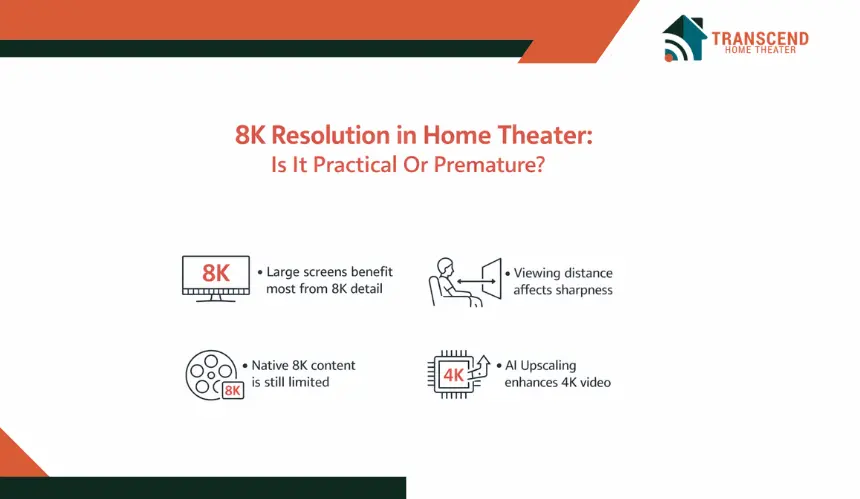
The real-world benefit appears most clearly in:
- Dedicated theater rooms with large screen sizes
- Shorter viewing distances where visual acuity matters
- High-bitrate native 8K content
- Advanced AI upscaling engines improving 4K sources
However, perceived sharpness depends heavily on source quality. If content is heavily compressed or upscaled from lower resolution material, the difference becomes less noticeable.
Many current streaming platforms still deliver primarily 4K HDR content using HEVC or AV1 compression, which limits the availability of true native 8K video.
This distinction between native resolution and intelligent upscaling is critical. Modern display processors use machine learning algorithms to reconstruct detail from 4K sources.
In some cases, high-quality 4K with strong HDR performance may appear more impactful than 8K with limited brightness or contrast.
What Hardware Is Required To Support 8K Playback Properly?
Moving to 8K resolution affects the entire AV signal chain. HDMI 2.1 is essential because it supports up to 48Gbps bandwidth, enabling 8K at 60Hz or 4K at 120Hz.
Without Ultra High Speed HDMI cables and compatible AV receivers with 8K passthrough, signal bottlenecks can occur.
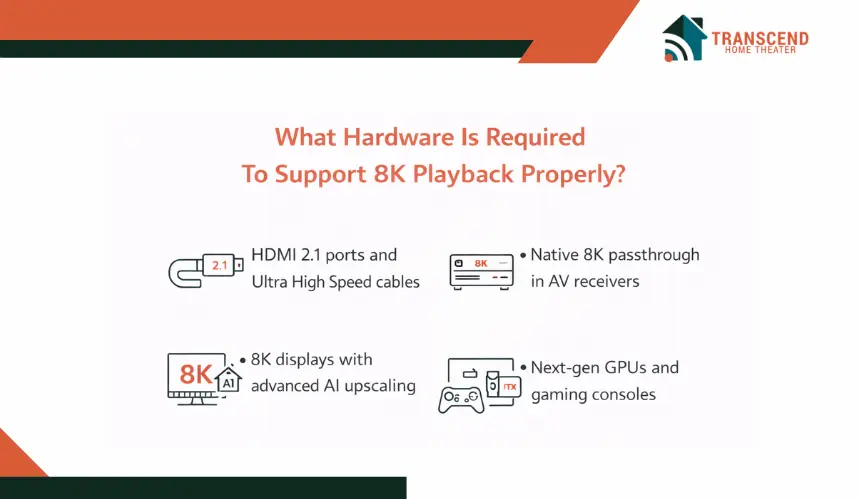
Key infrastructure requirements include:
- HDMI 2.1 ports supporting the full 48Gbps bandwidth specification, along with Ultra High Speed certified HDMI cables rated for 8K60 or 4K120 signal transmission
- AV receivers or AV processors with native 8K passthrough on multiple HDMI inputs, HDCP 2.3 compliance, and firmware support for 8K signal switching without downscaling
- 8K display panels or native 8K projectors capable of accepting 7680 × 4320 input over HDMI 2.1, with advanced image processors for AI upscaling and HDR tone mapping
- Graphics processing units such as high-end NVIDIA RTX or AMD Radeon series cards that support HDMI 2.1 output and hardware-level 8K decoding, especially for gaming or media server environments
For gaming enthusiasts, next-generation GPUs and consoles must support 8K rendering or upscaling. Otherwise, the display operates below its native potential. Signal degradation over longer cable runs can also impact reliability, especially in larger dedicated media rooms.
Network infrastructure is less critical for physical media playback but becomes relevant for future 8K streaming services. Fiber internet or high-bandwidth broadband connections may eventually be necessary as streaming bitrates increase.
When Does 8K Make Strategic Sense In Home Theater Design?
8K is most logical in scenarios focused on long-term system planning rather than short-term content consumption.
It makes sense when:
- Designing a high-end dedicated theater room from scratch
- Installing a large-format projection system exceeding 120 inches
- Planning a premium gaming setup with future GPU upgrades
- Prioritizing long-term display lifespan over incremental upgrades
For living room setups with moderate screen sizes and standard seating distances, the visual gain may be subtle. In those cases, investing in OLED contrast performance, HDR brightness, or improved audio processing may deliver more noticeable impact.
The practical decision is not about chasing maximum resolution. It is about aligning screen size, viewing geometry, signal bandwidth, and content ecosystem maturity. When those variables align, 8K becomes a forward-looking investment rather than an early adoption experiment.
High Frame Rate (HFR): How 60fps And 120fps Change Motion Clarity
Resolution determines detail, but frame rate determines motion behavior. Many home theater buyers focus on pixel count while overlooking how frame pacing affects realism, smoothness, and viewer comfort.
High Frame Rate content, typically 60fps or 120fps, alters how movement appears on screen, especially in fast-action scenes, sports broadcasts, and next-generation gaming.
Understanding HFR requires separating cinematic tradition from technical capability.
How Does High Frame Rate Improve Motion Performance?
Traditional films are mastered at 24 frames per second. This frame rate creates the cinematic motion blur audiences associate with movies. However, fast movement at 24fps can introduce judder, motion blur, and reduced clarity during rapid camera pans.
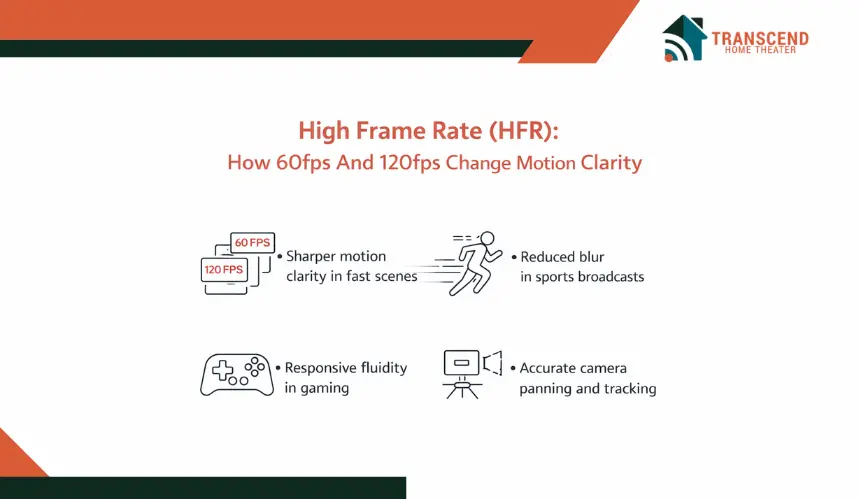
High Frame Rate formats increase frame density per second, resulting in:
- Sharper motion clarity during fast movement
- Reduced blur in sports and live events
- Improved responsiveness in gaming environments
- More accurate frame pacing during camera sweeps
At 60fps, motion becomes smoother and more stable. At 120fps, fast-moving content appears extremely fluid, particularly when paired with displays supporting 120Hz refresh rates.
Variable Refresh Rate technology further synchronizes the display with the source, reducing tearing and input lag.
The improvement is not about sharpness. It is about temporal resolution, which defines how clearly motion transitions appear between frames.
Does Higher Frame Rate Ruin The Cinematic Look?
This is one of the most debated questions in home theater communities. Some viewers associate 24fps with a film-like aesthetic and feel that 60fps or 120fps creates an overly realistic or hyper-smooth presentation. This effect is sometimes compared to motion interpolation or the so-called soap opera effect.
However, there is a key distinction. True High Frame Rate content is captured and mastered at higher frame rates. Motion interpolation artificially inserts frames between 24fps content, which can distort the director’s intent.
Viewer perception depends on context:
- Action films may benefit from smoother motion clarity
- Sports broadcasts gain realism and tracking precision
- Gaming environments feel more responsive at higher frame rates
- Dramatic films often retain artistic depth at 24fps
Modern displays allow motion smoothing settings to be adjusted or disabled. This flexibility ensures that users can preserve cinematic authenticity while still leveraging HFR when appropriate.
What Infrastructure Is Required To Support 120fps Playback?
High Frame Rate playback demands synchronized compatibility across the signal chain. HDMI 2.1 is again critical, particularly for 4K at 120Hz transmission. Earlier HDMI standards cannot reliably carry 4K120 signals at full chroma and bit depth.
Core infrastructure requirements include:
- Displays with native 120Hz panels rather than simulated motion enhancement
- HDMI 2.1 inputs capable of 4K at 120fps transmission
- Gaming consoles or GPUs supporting 120fps output modes
- Low latency mode and Variable Refresh Rate compatibility
Bandwidth and refresh rate must align. A 120Hz display without proper source output will default to lower frame rates. Similarly, a capable console connected through older HDMI cables will limit signal performance.
In practical home theater design, HFR becomes most valuable in multi-use environments where gaming, sports viewing, and cinematic playback coexist. Motion performance upgrades are often more immediately noticeable than resolution increases, especially on mid-to-large screen formats.
Frame rate influences how the experience feels, not just how it looks. For many viewers, that distinction becomes the defining factor in perceived immersion.
Next-Gen Codecs: The Hidden Engine Behind 8K Streaming
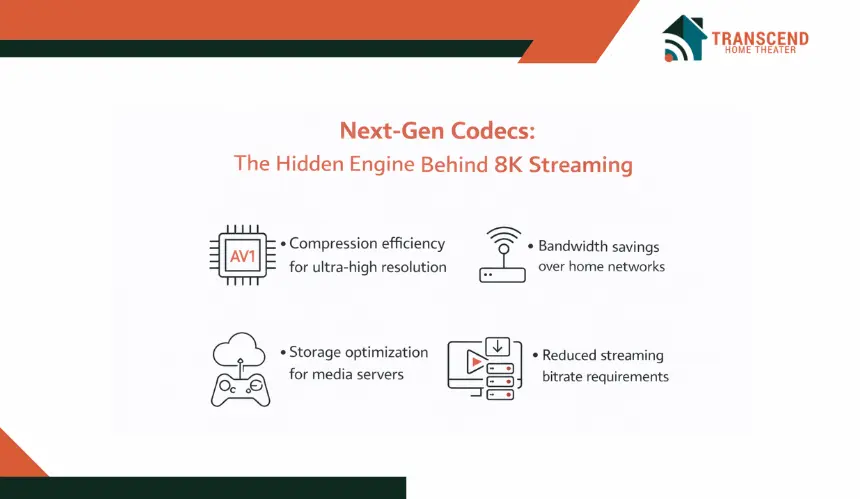
Resolution and frame rate often receive the spotlight, yet video codecs determine whether high-quality content can realistically reach your screen. Without efficient compression, 8K and High Frame Rate formats would require impractical bandwidth levels for home networks. Next-generation codecs solve this problem by reducing bitrate demands while preserving visual fidelity.
What Role Do Video Codecs Play In Modern Streaming?
A video codec compresses raw video data for transmission and then decompresses it for playback. The goal is simple: reduce file size without visibly degrading image quality. As resolution increases from 4K to 8K and frame rates rise to 60fps or 120fps, raw data requirements multiply dramatically.
Advanced compression algorithms improve:
- Bitrate efficiency for high-resolution streaming
- Bandwidth optimization over residential internet connections
- Storage efficiency for local media servers
- Reduced buffering during peak network usage
For example, a high-bitrate 8K stream using outdated compression could exceed 80 to 100 Mbps. With next-generation codecs such as AV1 or VVC, similar perceptual quality can be delivered at significantly lower bitrates.
Compression efficiency directly impacts real-world streaming performance. It determines whether your Gigabit Ethernet setup or Wi-Fi 6 network can handle next-level formats smoothly.
How Do AV1, HEVC, And VVC Compare?
Several codecs currently shape the future of video distribution:
- HEVC (H.265) remains widely supported across 4K televisions, streaming devices, and Ultra HD Blu-ray players. It significantly improved efficiency compared to H.264.
- AV1 is increasingly adopted by streaming platforms due to its royalty-free licensing model and superior compression performance at lower bitrates. It is especially effective for 4K and emerging 8K streaming.
- VVC (H.266) represents the next step in compression evolution, targeting even greater efficiency for ultra-high-definition video, including 8K and beyond.
The key difference lies in hardware decoding support. Many modern smart TVs and streaming devices include hardware acceleration for HEVC and increasingly for AV1. VVC adoption is still emerging and will depend on chipset integration in future display processors and media players.
From a home theater perspective, hardware-level decoding is critical. Software-based decoding can strain processors and introduce playback instability.
How Do Codecs Influence Home Theater System Planning?
Codec compatibility determines whether your system can stream future formats without external workarounds. When planning a home theater ecosystem, consider:
- Streaming devices that support AV1 hardware decoding
- Smart TVs with firmware updates enabling new compression standards
- Media servers such as Plex configured for efficient transcoding
- Network bandwidth planning aligned with expected streaming bitrates
Hardware acceleration reduces CPU load and prevents unnecessary transcoding, which can degrade image quality. For users relying on Network Attached Storage systems, storage efficiency also becomes a long-term consideration when archiving high-resolution content.
The shift toward AV1 and VVC is not just a technical upgrade. It reshapes how content is delivered, stored, and processed. In a future-oriented home theater design, codec support quietly determines whether advanced video formats feel seamless or frustrating.
Resolution defines detail. Frame rate defines motion. Codecs define deliverability. Ignoring that layer can limit the full potential of next-generation video formats.
Future-Proofing Strategies In Home Theater Design
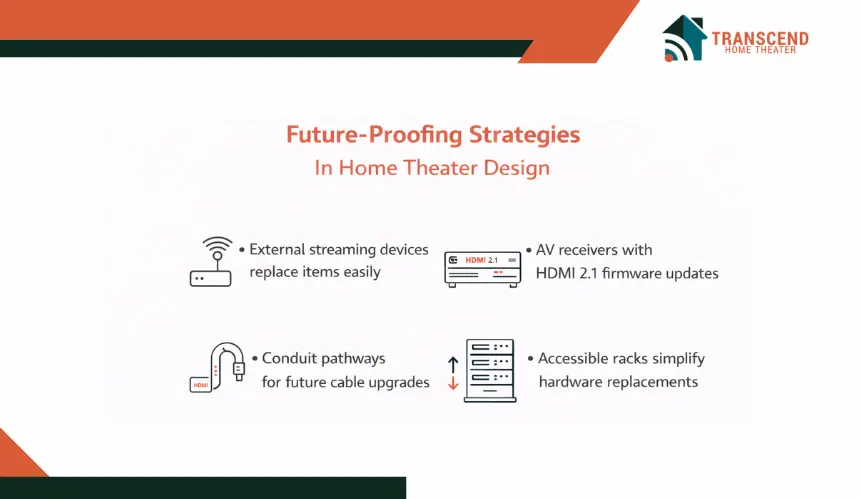
Video standards evolve quickly, but rebuilding a home theater every few years is neither practical nor cost-effective. Future-proofing focuses on smart planning, scalable infrastructure, and upgrade flexibility.
Instead of chasing every new specification, the goal is to design a system that adapts smoothly as 8K adoption expands, High Frame Rate content grows, and next-generation codecs mature.
How Can Modular System Planning Protect Long-Term Investment?
A modular system separates core components so upgrades remain manageable. Displays, source devices, and processing units should not be permanently dependent on one another.
Practical future-proofing strategies include:
- Using external streaming devices that can be replaced as AV1 or VVC decoding becomes standard
- Selecting AV receivers with firmware update support and multiple HDMI 2.1 inputs
- Installing conduit pathways for future HDMI or fiber cable upgrades
- Designing accessible equipment racks to simplify hardware replacement
This approach allows individual upgrades without disrupting the full signal chain. When compression standards evolve or gaming hardware improves, replacement becomes targeted rather than systemic.
What Should Homeowners In Virginia And Maryland Consider?
In regions like Northern Virginia and suburban Maryland, home theater design often reflects architectural and lifestyle realities. Properties in areas such as McLean, Bethesda, Potomac, and Arlington frequently include finished basements or dedicated media rooms, which create ideal environments for projection systems and larger screen formats.
However, several location-specific factors influence infrastructure decisions:
- Many homes rely on structured wiring panels installed during construction. Ensuring those panels support Gigabit Ethernet or fiber-ready connections is critical for high-bitrate streaming.
- Older properties in parts of Maryland may require electrical upgrades to support advanced AV racks, amplifiers, and multiple HDMI 2.1 devices.
- Internet service variability across suburban corridors makes stable bandwidth planning essential for 8K streaming and high-efficiency codecs.
Climate also plays a subtle role. Basement installations must account for humidity control to protect AV processors, media servers, and network equipment. Proper ventilation and rack airflow management protect long-term system stability.
For homeowners in Virginia and Maryland investing in premium entertainment spaces, future-proofing is not abstract. It means aligning bandwidth, electrical capacity, and room architecture with the technical demands of emerging video formats.
The future of home entertainment is already taking shape. If you are planning a media room or upgrading your current setup, now is the time to design with 8K readiness, High Frame Rate performance, and next-generation codec support in mind. Transcend Home Theater specializes in building forward-thinking home theaters that balance cutting-edge technology with long-term reliability.
Frequently Asked Questions
Will streaming platforms actually release native 8K content soon?
Most major streaming platforms are still prioritizing 4K HDR expansion and AV1 optimization before scaling aggressively into native 8K libraries. Limited 8K demo content exists, but widespread consumer availability depends on bandwidth scalability, codec standardization, and display adoption rates. Over the next three to five years, gradual rollout is more realistic than an immediate shift.
Are 8K TVs better for upscaling lower-resolution content?
Modern 8K displays often include AI-driven upscaling processors that enhance 1080p and 4K sources. In some cases, advanced scaling algorithms improve perceived detail and edge refinement. However, improvement depends heavily on the quality of the source file and the display’s image processing engine rather than resolution alone.
Does 8K or 120Hz increase energy consumption significantly?
Higher-resolution panels and 120Hz refresh rates can increase power draw, particularly on large-format displays. Energy consumption varies by panel type, brightness settings, and backlight technology. OLED, Mini-LED, and MicroLED systems differ in efficiency. Smart calibration and brightness optimization help manage long-term operating costs.
Is fiber internet necessary for future video formats?
Fiber internet is not mandatory today, but it provides long-term bandwidth stability for high-bitrate streaming, cloud gaming, and multi-device households. In areas where multiple users stream simultaneously, higher symmetrical speeds reduce buffering and resolution throttling during peak hours.
How long should a premium home theater system remain technically relevant?
A well-designed system with HDMI 2.1 compatibility, firmware-updatable components, and modular source devices can remain technically relevant for seven to ten years. Longevity depends on scalable infrastructure, codec support, and balanced performance rather than focusing on a single specification.