
Home Theater Room Layouts: How to Design for Optimal Viewing Angles & Sound Distribution
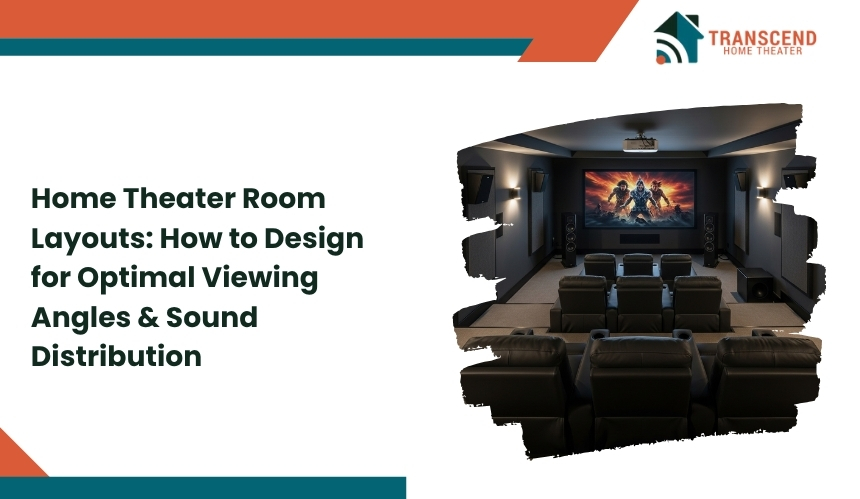
The secret to an incredible home theater setup is not just the size of the screen or the power of the speakers. It all comes down to the layout, where the viewing angles and sound distribution work together to create an immersive experience.
A smart design begins with the basics: placing the screen at the right distance, aligning the seats within the ideal field of view, and arranging the speakers so sound reaches every corner evenly. Even small details such as the shape of the room, ceiling height, wall materials, and lighting play an important role in the final experience.
In this guide, readers will discover how to design a home theater layout that achieves both visual comfort and perfect sound performance.
Understanding the Fundamentals of Home Theater Room Design
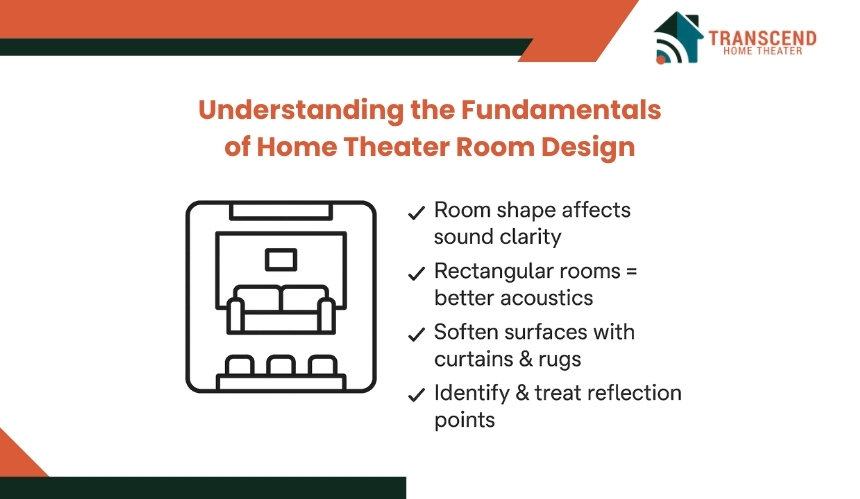
Before deciding where to place the seats or mount the speakers, it is essential to understand the basic principles that influence how a home theater performs. The layout, shape, and acoustics of the room determine how sound moves and how visuals are perceived.
How Does Room Shape Affect Sound Performance?
The shape of the room has a major impact on sound behavior. Rectangular rooms usually deliver better audio balance compared to square ones because they minimize echo and unwanted sound buildup. Uneven wall lengths help scatter sound waves more naturally, creating a smoother listening experience.
To enhance acoustic quality, soften hard and reflective surfaces such as bare walls and tile floors. Adding rugs, curtains, or acoustic panels can help absorb excess sound and improve clarity.
It is important to identify the first reflection points. First reflection points are the areas where sound initially bounces off the walls. Identifying them helps in deciding where to place absorbers or diffusers for a cleaner sound.
Why Do Viewing Angles Matter in a Home Theater?
Viewing angles define how comfortable and engaging the visual experience feels. Industry standards such as THX and SMPTE recommend a viewing angle between 36 and 40 degrees for optimal visual comfort. Sitting too close can cause eye strain, while sitting too far makes the picture feel smaller and less immersive.
To calculate the ideal viewing distance, measure about 1.2 to 1.6 times the diagonal width of your screen. For example, a 100-inch screen works best when seats are positioned 8 to 13 feet away. Keep the center of the screen at or slightly below eye level to maintain a natural line of sight and prevent neck strain during long viewing sessions.
Planning The Layout of Your Home Theater: Step-by-Step Design Framework
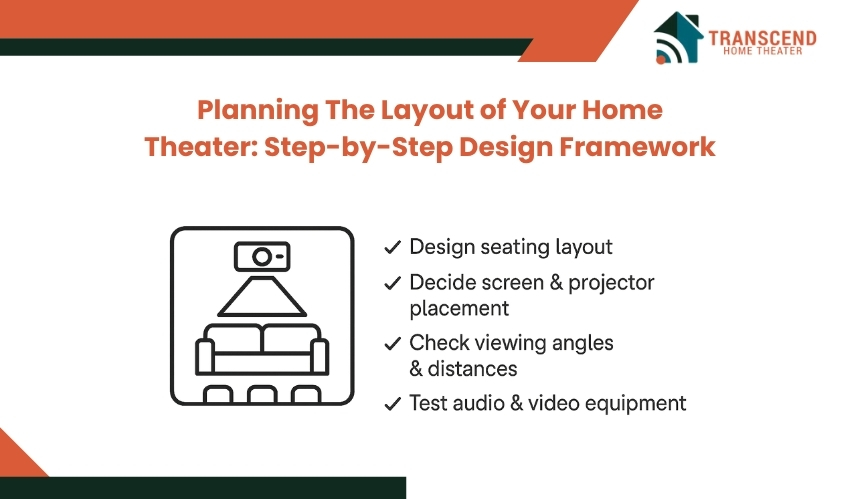
Designing a home theater layout requires more than just arranging furniture and electronics. It involves mapping out each element with purpose, ensuring that sound, visuals, and comfort work in harmony.
Step 1: How to Define the Focal Point of the Room
Every home theater needs a visual anchor, and that starts with identifying the focal point. In most setups, the screen acts as the center of attention, guiding the placement of seats and speakers around it. Choose a wall that minimizes glare from windows and provides enough depth for comfortable viewing distance.
For smaller rooms, consider a wall-mounted TV or a short-throw projector to save space. Larger spaces can accommodate fixed-frame projection screens for a more cinematic effect. Keep the main seating row directly in line with the screen’s midpoint to ensure everyone enjoys a clear and balanced view.
Step 2: How to Determine the Ideal Seating Configuration
Seating arrangement has a direct impact on viewing comfort and sound experience. Start by identifying how many people will typically use the theater and then decide between a single-row layout or multi-tier seating for larger groups.
When using recliners or theater-style seats, leave at least 20 to 24 inches of space between each row for easy movement. In multi-row setups, elevate the second row by 6 to 12 inches to ensure unobstructed views. Seats should face the screen directly rather than at an angle to maintain consistent visual alignment and audio balance.
Step 3: How to Optimize Sound Distribution for Clearer Audio
Sound clarity depends on how well the speakers are positioned within the room. Start by identifying the type of audio system you plan to use, such as 5.1, 7.1, or Dolby Atmos. Each setup requires strategic placement to achieve even sound coverage across all seats.
Position front speakers at ear level on either side of the screen, with the center speaker aligned directly below or above it. Side and rear speakers should sit slightly above ear level to create surround immersion. Subwoofers perform best near the front corners of the room, where bass frequencies can disperse evenly without distortion.
Step 4: How to Control Light and Reflection for Better Viewing
Lighting plays a significant role in image clarity and overall comfort. Too much ambient light can wash out colors and reduce contrast, while reflective surfaces can cause glare. Use blackout curtains, matte wall finishes, and dimmable lighting to maintain visual focus on the screen.
Wall colors in darker shades like navy, charcoal, or deep brown help absorb excess light and enhance contrast. If recessed lighting is installed, choose fixtures that can be angled away from the screen. Keeping lighting soft and indirect enhances both immersion and visual quality.
Choosing the Right Components for Balanced Performance
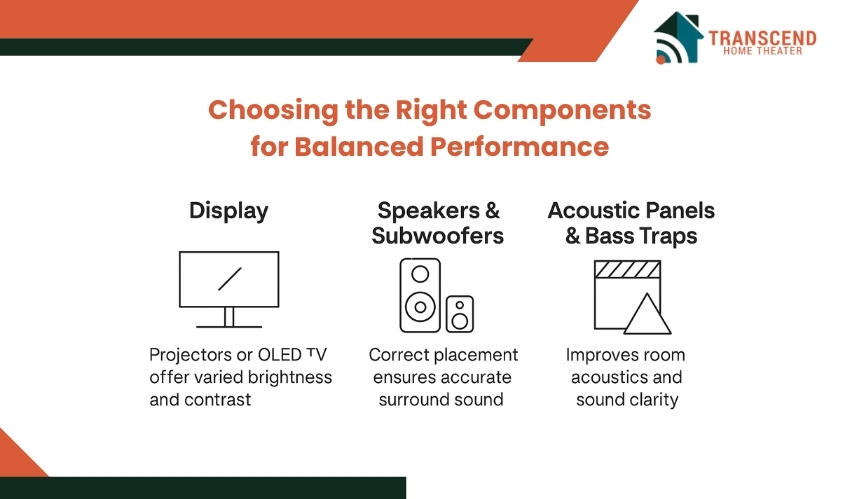
Once the room layout is set, the next step is choosing components that bring the design to life. The display, audio system, and acoustic materials all influence how immersive and natural the theater feels. Each element should be selected not only for its performance but also for how well it complements the room’s size and structure.
What Type of Display Offers the Best Home Theater Experience?
The display acts as the centerpiece of the entire setup. Projectors, OLED TVs, and laser TVs each deliver different levels of brightness, contrast, and realism. The best choice depends on the size of the room and how much control you have over lighting.
Projectors are ideal for larger spaces and provide a true cinema-like feel when paired with a matte-finish screen. Short-throw projectors work well in smaller rooms and reduce shadow interference.
For users who prefer convenience and superior brightness, OLED and laser TVs offer deeper blacks and higher contrast ratios, making them suitable for both day and night viewing. The screen should be placed so that its center aligns naturally with eye level when seated.
How Should Speakers and Subwoofers Be Placed for Optimal Sound in a Home Theater?
Audio defines how immersive a home theater feels. Correct speaker placement ensures that every sound effect and dialogue reaches the listener as intended. For most rooms, a 5.1 or 7.1 surround sound system is sufficient, while Dolby Atmos adds a vertical dimension for a more enveloping effect.
Position the front left and right speakers at ear level and slightly angled toward the main seating area. The center speaker should be directly above or below the display to anchor dialogue.
Rear and side speakers should be mounted slightly above ear level to create surround depth. Subwoofers perform best near corners or walls where low frequencies can resonate evenly throughout the space.
Where Should Acoustic Panels and Bass Traps Be Installed in a Home Theater?
Even the best speakers need a room that supports good acoustics. Hard surfaces can cause unwanted echoes and muddle sound clarity. Installing acoustic panels on walls and ceilings helps absorb reflections, while bass traps in corners control low-frequency buildup.
For most home theaters, start with panels at ear level along the side walls and at the first reflection points. Bass traps should be placed in the front and rear corners where sound tends to collect. While DIY options can improve sound modestly, acoustic treatments installed by professional home theater installers offer more precise control and long-term performance.
Common Layout Mistakes That Ruin the Home Theater Experience
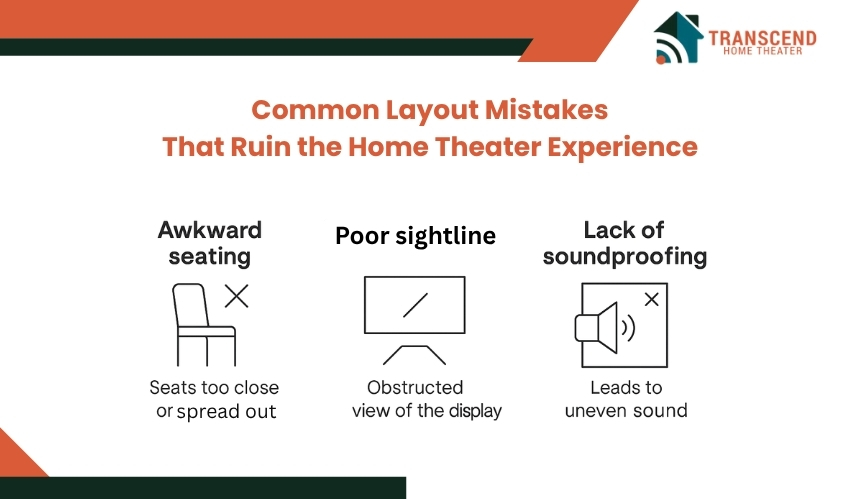
Even with quality equipment and a strong design plan, small layout errors can greatly impact how a home theater performs. Many of these mistakes are easy to overlook during setup but can lead to poor sound balance, distorted visuals, and reduced comfort over time.
Why Does Room Symmetry Matter in a Home Theater?
Room symmetry ensures that sound and visuals are evenly distributed across all seats. When speakers or seating are placed off-center, audio may sound louder on one side and weaker on the other. Similarly, an asymmetrical layout can distort the viewing angle, making the picture appear uneven or stretched.
To maintain balance, align the main seating row directly in front of the screen’s midpoint and place the front speakers at equal distances on both sides.
Avoid placing large furniture or decor pieces that block one side of the room, as this can reflect sound unevenly and interfere with speaker performance.
What Happens If You Ignore Ventilation and Equipment Spacing in a Home Theater?
Home theater systems produce heat, especially when multiple devices such as amplifiers, receivers, and projectors operate simultaneously. Without proper ventilation, this buildup can damage components and shorten their lifespan.
To prevent overheating, ensure that AV cabinets and media racks have enough airflow. Leave at least two to three inches of space around equipment and avoid closing devices inside tightly sealed enclosures. If possible, install quiet cooling fans or vents to maintain steady airflow and prevent performance drops.
Why Is Proper Cable Management Important for Performance and Safety?
Cables might seem like a minor detail, but messy wiring can affect both safety and functionality. Tangled cables can cause signal interference, tripping hazards, and even short circuits. In addition, poor cable organization makes troubleshooting and maintenance more difficult later on.
Use cable sleeves, clips, or conduits to group and hide wires neatly along walls or behind furniture. Label each connection to make upgrades or repairs easier in the future. For wall-mounted displays, consider in-wall rated cables for a clean, professional look without clutter.
Professional Tips for Acoustic and Visual Calibration
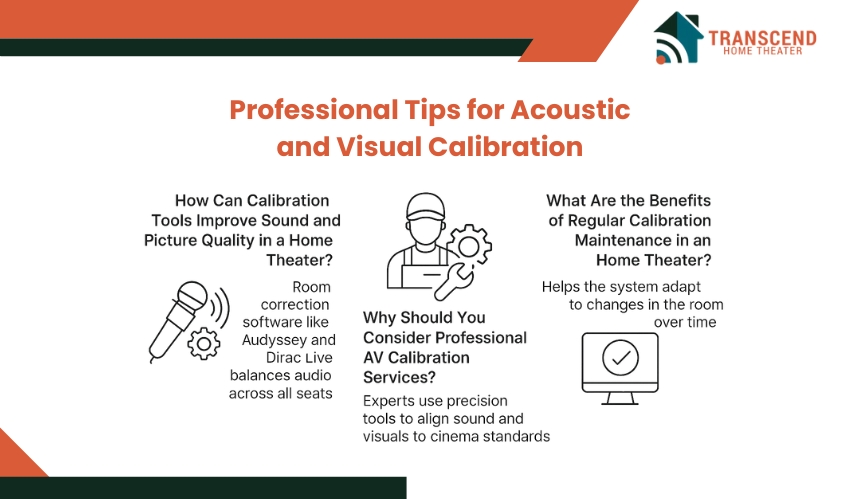
Even a perfectly designed home theater layout can fall short if the audio and visuals are not properly calibrated. Fine-tuning your system ensures that every sound detail and visual tone matches professional cinema standards.
How Can Calibration Tools Improve Sound and Picture Quality in a Home Theater?
Modern calibration tools make it simple to fine-tune both sound and picture quality. Software like Audyssey, Dirac Live, and ARC Genesis analyzes room acoustics to balance speaker levels and frequency response. These tools help eliminate harsh tones and create smooth, even sound across all seats.
For visuals, built-in display settings or test patterns can be used to adjust brightness, contrast, and color accuracy. A properly calibrated display ensures natural skin tones, deeper blacks, and a balanced image without glare or distortion.
Why Should You Consider Professional AV Calibration Services?
Hiring a certified AV expert can take your home theater to the next level. Professionals use precision tools like colorimeters and spectrum analyzers to achieve perfect sound and visual alignment. They can also detect phase issues, echo patterns, or light inconsistencies that are easy to overlook.
Professional calibration is especially valuable for high-end setups, ensuring every component performs optimally and remains consistent over time.
What Are the Benefits of Regular Calibration Maintenance in a Home Theater?
Over time, speakers and displays naturally drift from their original settings due to wear, environmental changes, or firmware updates. Periodic recalibration ensures your system continues to perform as intended.
Seasonal temperature and humidity shifts can subtly affect acoustics, while new firmware can alter default sound profiles or color maps.
A brief recalibration session every six to twelve months keeps both visuals and sound balanced. Regular maintenance helps maintain consistency and prevents gradual degradation in quality that often goes unnoticed until major distortion occurs.
Advanced Layout Variations for Enthusiasts
Once the fundamentals are in place, homeowners who want a more personalized or high-end experience can explore advanced layout variations. These setups combine innovative room planning, smart technology, and professional-grade acoustics to create a space that feels entirely custom.
1. Dedicated Theater Room vs. Multi-Purpose Media Room
A dedicated theater room focuses purely on the cinematic experience. It typically features acoustic wall treatments, minimal lighting, and sound-isolated construction. This design eliminates distractions and provides total control over visuals and audio.
In contrast, a multi-purpose media room blends entertainment with everyday living. It often includes flexible seating, natural lighting options, and convertible layouts. While not as isolated, it offers more versatility for family activities and casual viewing.
2. Smart Home Integration
Integrating smart home systems enhances both convenience and immersion. Automated lighting, temperature control, and sound management can be handled through platforms like Control4, Alexa, or Google Home. With just one command, the lights can dim, the projector screen can lower, and the movie can begin.
Smart technology also supports customized audio zones, voice commands, and mobile control, allowing homeowners to manage the entire setup with ease.
Working with a smart home automation expert ensures that all connected devices communicate seamlessly and operate without lag or interference. These professionals can integrate lighting scenes, sound zones, and voice control systems tailored to your space, creating a truly effortless entertainment experience.
Frequently Asked Questions
What is the best way to control echo in a large home theater room?
Large rooms often face challenges with echo and sound reflection. The most effective solution is to use a mix of diffusers and sound absorbers on different wall surfaces. Diffusers scatter sound waves to create a natural sound field, while absorbers reduce unwanted reflections without dulling the overall audio quality.
Can curved screens improve the viewing experience in home theaters?
Curved screens can enhance immersion by slightly wrapping the image around the viewer’s field of vision. They also help reduce edge distortion for wide seating arrangements. However, they are most effective in medium to large rooms where the audience sits directly in the center viewing zone.
How does ceiling height affect home theater acoustics and visuals?
Ceiling height influences both sound reflection and projector placement. Higher ceilings allow better air circulation and reduce echo buildup but may require angled speakers or acoustic panels to manage upward reflections. They also offer more flexibility for mounting projectors at optimal throw distances.
Is it worth investing in vibration isolation for home theaters?
Yes, vibration isolation can significantly improve sound clarity. Using isolation pads under subwoofers and speakers prevents vibrations from transferring to floors and walls. This reduces rattling noises and prevents structural resonance, especially in multi-story homes.
How can ambient scent or aroma systems enhance the cinematic atmosphere?
Ambient scent systems are becoming a modern trend in luxury home theaters. These systems release subtle fragrances that match the tone of a movie or event, enhancing emotional immersion. They can be automated through smart home systems for synchronized sensory experiences.
What role does furniture material play in sound performance?
Furniture with soft, porous materials such as fabric or microfiber helps absorb mid to high-frequency sounds, reducing unwanted reflections. Leather and hard surfaces, while stylish, tend to reflect sound more, so combining them strategically maintains both comfort and acoustic balance.
Can home theaters be optimized for gaming as well as movies?
Absolutely. For gaming, the setup should prioritize low input lag and synchronized sound. Using dedicated gaming display modes and calibrated lighting scenes creates a responsive and immersive experience without affecting movie performance.
Are there eco-friendly options for building a home theater?
Yes, eco-friendly materials such as recycled acoustic panels, energy-efficient LED lighting, and low-emission paints are now widely available. Combining these with energy-smart automation systems allows homeowners to enjoy performance and sustainability at the same time.