
Key takeaways
|
How Screen Size, Seating Distance & Resolution Affect Image Quality
You buy a larger TV expecting cinematic clarity. You upgrade to 4K, thinking the picture will instantly look sharper. Yet something still feels off. The image looks soft, overly sharp, or simply underwhelming. That frustration usually comes from one overlooked reality: image quality depends on the relationship between screen size, seating distance, and resolution, not just one specification on a box.Modern displays from brands like Sony, Samsung, and LG pack millions of pixels into thin panels. However, the human eye perceives detail based on visual acuity, field of view, pixel density, and viewing geometry. This guide breaks down how each factor works independently and how they function together.
Screen Size: How Bigger Displays Change Perceived Clarity
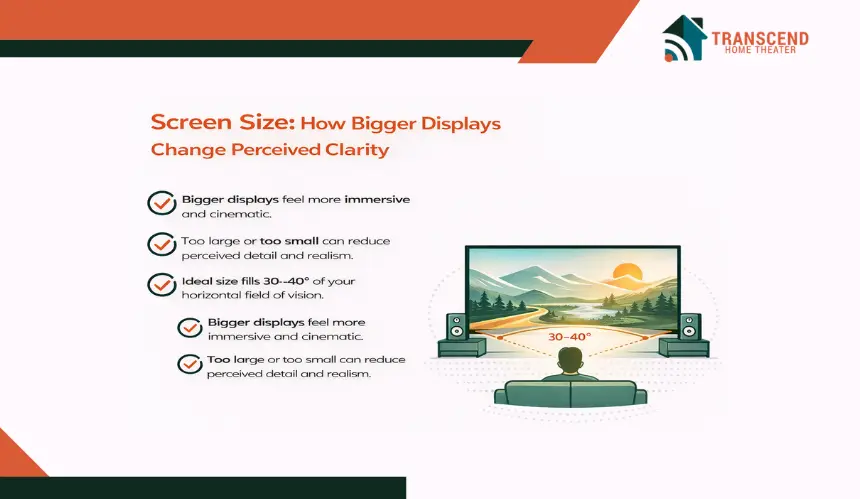
Screen size is often the first specification buyers focus on. A larger display feels more immersive and cinematic.
However, increasing screen dimensions changes how pixels are distributed across the panel. That shift directly affects perceived sharpness, detail visibility, and overall image realism.
How Does Screen Size Influence Detail And Immersion?
Beyond sharpness, screen size affects immersion. A larger display occupies more of the viewer’s field of vision, increasing perceived depth and realism. Organizations such as THX and SMPTE recommend that screens fill roughly 30 to 40 degrees of the horizontal viewing angle for cinematic engagement.
When a display is too small for the room, it feels distant and less engaging. When it is too large for the available seating distance, flaws such as compression artifacts, motion interpolation issues, or low bitrate streaming become more noticeable.
Room dimensions also matter. In compact apartments, a 65 inch screen may dominate the space and exaggerate pixel visibility. In a dedicated home theater with controlled lighting, a 75 or 85 inch display can create a balanced, theater-like experience when paired with appropriate resolution.
Screen size influences both immersion and pixel visibility. However, it does not operate alone. The distance between the viewer and the display determines how those pixels are actually perceived. That relationship becomes critical in the next section.
Seating Distance: The Hidden Factor That Changes Image Sharpness
Two people can watch the same television and walk away with completely different opinions about its clarity. One says the picture looks razor sharp. The other complains about softness or visible pixels. The difference often comes down to seating distance.
How far you sit from the screen determines whether your eyes can resolve individual pixels or blend them into a seamless image.
How Does Viewing Distance Affect Pixel Visibility?
The human eye has a limit known as visual acuity. For someone with 20/20 vision, there is a specific angular resolution threshold at which individual pixels become indistinguishable.
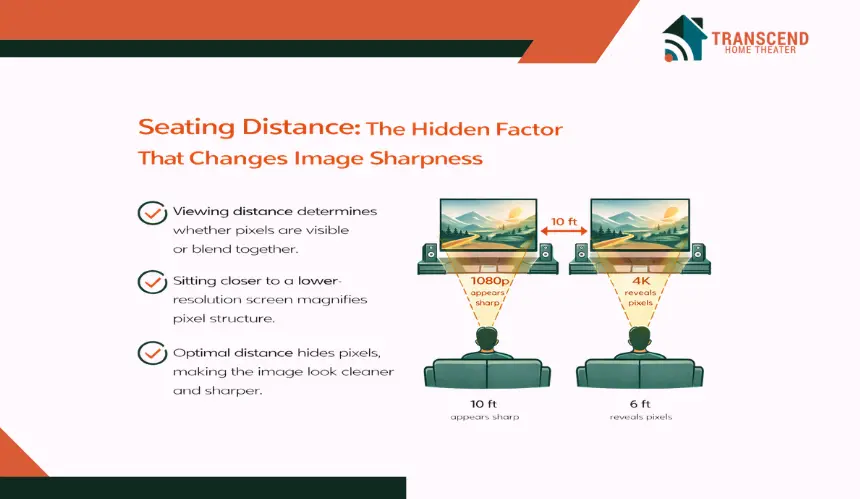
If you sit too close to a lower-resolution screen, pixel structure and edge aliasing become noticeable. If you sit farther away, those same pixels visually merge, making the image appear smoother.
This is why a 1080p display can look perfectly sharp from across the room but appear soft when viewed up close. Conversely, a 4K UHD panel reveals its advantage primarily at shorter viewing distances. When seated within the optimal range, the higher pixel count increases fine detail, reduces jagged edges, and improves text clarity.
For example:
- Sitting 10 feet away from a 55 inch 1080p TV often hides pixel limitations.
- Sitting 6 feet away from the same screen may reveal reduced pixel density.
- Moving to a 4K display at that closer distance restores perceived sharpness.
At even closer distances, 8K resolution begins to show measurable improvements. However, those benefits are visible only on very large screens or at unusually short seating ranges.
Can Sitting Too Close Or Too Far Affect Comfort And Image Perception?
Seating distance also influences eye comfort and motion perception. Sitting too close can cause visual fatigue because your eyes must scan a wider field of view.
Bright HDR highlights may feel intense, especially in dark rooms. Extended close viewing can increase eye strain during fast-moving scenes or high-contrast gaming sessions.
On the other hand, sitting too far reduces immersion and compresses fine details. Subtle texture in 4K content becomes less noticeable. The practical difference between 1080p and 4K may disappear entirely if distance exceeds the visibility threshold.
Finding the right seating position ensures:
- Balanced field of view
- Reduced eye fatigue
- Clear motion rendering
- Visible resolution improvements
Seating distance determines whether higher resolution actually delivers value. Understanding this relationship sets the stage for evaluating when resolution upgrades truly matter.
Image Resolution: When Do More Pixels Actually Matter?
Resolution is often marketed as the ultimate measure of picture quality. 4K, Ultra HD, and 8K labels promise sharper images and lifelike detail. However, more pixels only improve image quality when they can actually be perceived at your chosen screen size and seating distance.
Is There A Real Difference Between 1080p, 4K, And 8K In A Typical Room?
The practical difference between resolutions depends on pixel count, screen dimensions, and how content is delivered. A 1080p display contains about 2 million pixels.
A 4K UHD panel increases that to over 8 million. An 8K screen multiplies it again to roughly 33 million pixels. On paper, the jump is dramatic. In real-world viewing, the benefit depends on viewing geometry and content quality.
At moderate screen sizes and standard living room distances, 4K often provides visibly sharper text, finer textures, and smoother diagonal lines compared to 1080p. The improvement becomes more noticeable on screens above 65 inches. However, the leap from 4K to 8K is harder to detect unless the screen is extremely large or seating distance is unusually close.
Content availability also plays a role. Streaming platforms such as Netflix and YouTube deliver native 4K content, but bitrate compression affects perceived clarity. Even if a TV supports Ultra HD resolution, heavy compression can reduce fine detail.
High-quality panels from brands like Sony rely on advanced upscaling processors to enhance lower-resolution sources, but upscaling cannot recreate detail that was never captured.
When Does Upgrading Resolution Actually Deliver Visible Benefits?
Upgrading resolution only delivers meaningful improvement when the display can show true high-detail content and the viewing setup allows those details to be perceived. Instead of focusing on pixel density again, the real question becomes practical: When does spending more on 4K or 8K translate into visible gains?
For most modern households, 4K UHD has become the performance sweet spot. Native 4K content from platforms like Netflix and YouTube provides sharper textures, cleaner edges, and improved fine detail compared to 1080p.
The improvement is especially noticeable in close-up facial shots, nature documentaries, sports broadcasts, and gaming environments with detailed textures.
However, resolution upgrades only work if the content pipeline supports them. Several factors influence whether you are seeing true high-resolution performance:
- Streaming bitrate and compression levels
- HDMI 2.0 vs HDMI 2.1 bandwidth capacity
- Gaming console output settings
- Blu-ray vs streaming source quality
- Display processing and upscaling engine performance
For example, if a streaming service reduces bitrate during peak network traffic, even a 4K panel may display softened details due to compression artifacts. Likewise, if a gaming console outputs at 1080p, a 4K television relies on internal upscaling rather than native pixel rendering.
8K resolution introduces another layer of diminishing returns. While technically impressive, native 8K content remains extremely limited. Without proper source material, the additional pixel count rarely translates into visibly superior real-world clarity.
In most living room environments, 4K provides the strongest balance between available content, hardware compatibility, and perceivable detail.
Resolution upgrades create value when three conditions align:
- High-quality native content
- Proper signal transmission and bandwidth
- Viewing conditions that allow detail perception
How Screen Size, Distance & Resolution Work Together
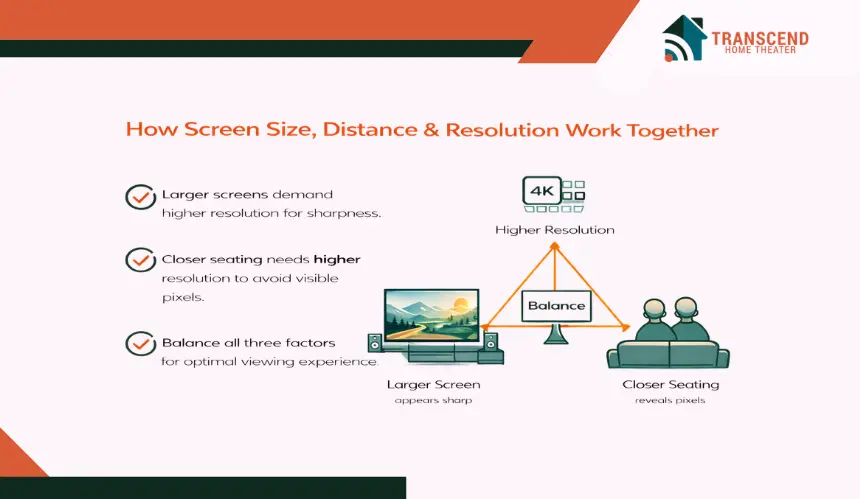
Individually, screen size, seating position, and resolution each influence image quality. However, real-world performance depends on how these three variables interact as a system.
A mismatch between them creates wasted potential. When they are aligned correctly, the result feels natural, immersive, and visually balanced.
How Do These Three Factors Form An Image Quality Balance?
The balance works through proportional alignment rather than isolated specifications. A large display placed in a compact room demands higher resolution and appropriate seating placement to maintain clarity.
A modest screen in a spacious room does not require extreme pixel counts because viewing geometry naturally limits visible detail.
Think in terms of viewing geometry rather than marketing labels:
- Larger screen + closer seating = requires higher resolution
- Smaller screen + farther seating = resolution upgrades show limited benefit
- Very large display + moderate seating = optimal environment for 4K detail
- Ultra-large display + close seating = scenario where 8K may become perceptible
This alignment determines whether viewers experience crisp textures, smooth edges, and cinematic immersion or feel that something looks slightly off.
Instead of asking, “Is 4K better than 1080p?” the more accurate question becomes, “Is my setup configured to reveal that difference?”
How To Match Screen Size, Resolution & Seating Distance At A Glance
The following simplified framework illustrates how the three factors align in common scenarios. This table serves as a decision reference rather than a technical recalculation of earlier concepts.
Screen Size | Recommended Resolution | Typical Seating Distance | Best Use Case |
43–55 inch | 1080p or 4K | 6–9 feet | Small to mid-size living rooms |
65–75 inch | 4K UHD | 7–11 feet | Standard family rooms or media spaces |
85 inch + | 4K or higher | 8–12 feet | Large rooms or dedicated theater setups |
100 inch + | 4K projection or higher | 9–14 feet | Home theater projection environments |
This alignment model helps avoid over-investing in unnecessary resolution or choosing a screen size that overwhelms the room layout.
Choosing The Right Screen Setup For Your Needs
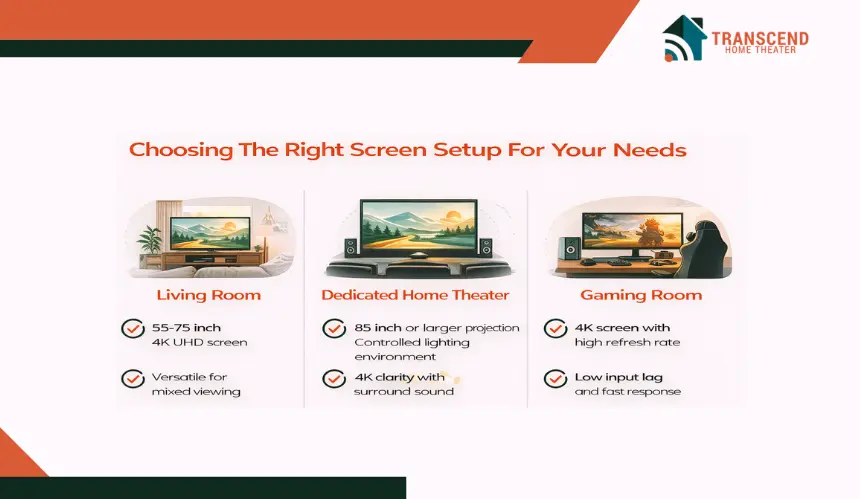
Not every room serves the same purpose. A family living room, a dedicated home theater, and a competitive gaming space demand different display priorities. Instead of chasing maximum specifications, the smarter approach is tailoring screen size, seating layout, and resolution to how the space is actually used.
This section focuses on application-specific optimization without repeating earlier alignment theory.
Best Screen Size And Resolution For A Living Room Setup
A living room typically balances casual viewing, mixed seating positions, and varied content types such as streaming shows, sports broadcasts, and cable television. In this environment, versatility matters more than extreme performance metrics.
For most standard living rooms:
- 55 to 75 inch screens offer strong immersion without overwhelming the space
- 4K UHD delivers visible sharpness across typical sofa distances
- Wide viewing angle panels maintain clarity for side seating
Lighting conditions also play a major role. Rooms with natural daylight benefit from displays with higher peak brightness and effective anti-reflective coatings. Proper brightness calibration prevents washed-out images without exaggerating highlights.
The goal here is balanced immersion with everyday comfort.
How To Optimize A Dedicated Home Theater Setup
A dedicated theater space allows for more precise control over immersion and viewing geometry. In this environment, screen size can be pushed larger because seating is intentionally positioned for cinematic engagement.
Key considerations include:
- Larger screens or projection systems above 85 inches
- Controlled ambient lighting to improve contrast perception
- Proper color calibration for accurate skin tones and shadow detail
- Surround sound alignment to match visual scale
Projection systems demand careful resolution pairing due to screen size expansion. High-quality 4K projection provides strong clarity when seating is proportionally placed. Light control through blackout curtains or wall treatments dramatically improves perceived depth and black levels.
In a theater room, immersion becomes the primary objective rather than general-purpose flexibility.
What Setup Works Best For Gaming Performance?
Gaming prioritizes responsiveness and clarity during motion-heavy scenes. Resolution remains important, but refresh rate, input lag, and variable refresh technologies significantly impact perceived smoothness.
For modern gaming environments:
- 4K resolution paired with high refresh rate panels offers balanced clarity and fluidity
- HDMI 2.1 support enables higher bandwidth transmission
- Variable Refresh Rate technology reduces screen tearing
- Low input latency enhances responsiveness
Gaming consoles from Sony and Microsoft support advanced output features that require compatible displays to fully unlock performance.
In competitive scenarios, sitting slightly closer can enhance situational awareness without compromising comfort. The setup should feel responsive and visually stable rather than simply large.
Each environment demands different priorities. Understanding the primary use case ensures the display system feels intentional rather than oversized or underutilized.
Choosing the right screen size, seating distance, and resolution can feel overwhelming when every detail affects the final picture. If you want a setup that looks incredible the moment you press play, let the experts at Transcend Home Theater design it for you.
From room layout planning to precise calibration, we ensure every element works in harmony so your investment delivers true cinematic performance.
Frequently Asked Questions
What is the best viewing distance for a 4K TV in a standard living room?
For typical 4K televisions, a common recommended range is roughly 1.5 to 2.5 times the diagonal screen size of the TV. Sitting too close may make the picture seem overly large or cause visual discomfort, while sitting too far can reduce perceived detail and immersion.
Is there a resolution limit beyond which the human eye cannot discern detail?
Research suggests there is a perceptual limit to how many pixels the eye can resolve at standard seating distances. In many living room setups, even very high resolutions like 8K provide limited visible benefit compared to 4K if the screen is not large enough or the viewer is too far away.
Does aspect ratio affect perceived image quality beyond resolution and screen size?
Aspect ratio refers to the shape of the image, such as 16:9 for most TVs and film content. While it does not directly change sharpness, it affects how content fills the screen and whether letterboxing or cropping occurs, which can influence viewer perception and immersion.
Can changing room lighting improve image perception even without changing TV specs?
Yes. Adjusting room lighting to reduce glare and reflections enhances contrast and perceived clarity. Controlled lighting conditions allow the eyes to focus on image detail rather than competing light, improving the overall viewing experience.
Do I need a different setup for projector screens compared to flat-panel TVs?
Projector screens often require greater viewing distances, proportional to screen width, to avoid overwhelming the visual field and to maintain comfortable focus. Distance recommendations typically range from about 1.5 to 2.5 times the screen’s width, depending on room layout and personal comfort.