
How to Design a “Whole-Home Automation Network” for Reliability & Scalability (2026 Design Guide)
A Quick Answer: Designing a whole-home automation network for reliability and scalability involves building a strong wired and wireless backbone, selecting interoperable protocols, planning bandwidth for future device growth, and structuring control systems that minimize latency while supporting expansion. These core principles allow a smart home to stay stable, responsive, and upgrade-ready as new technologies emerge. |
Homeowners today expect automation systems to handle dozens of sensors, controllers, streaming devices, and voice assistants without signal drops or performance gaps. As smart homes move toward Wi-Fi 7, Matter, Thread, and multi-protocol environments in 2026, the network must support consistent communication across many device categories.
A well-designed foundation improves performance for lighting controls, climate automation, security sensors, and entertainment systems, reducing the risk of lag or failure during daily use. This design guide will cover the essential steps, technologies, and planning strategies needed to build a reliable and scalable whole-home automation network.
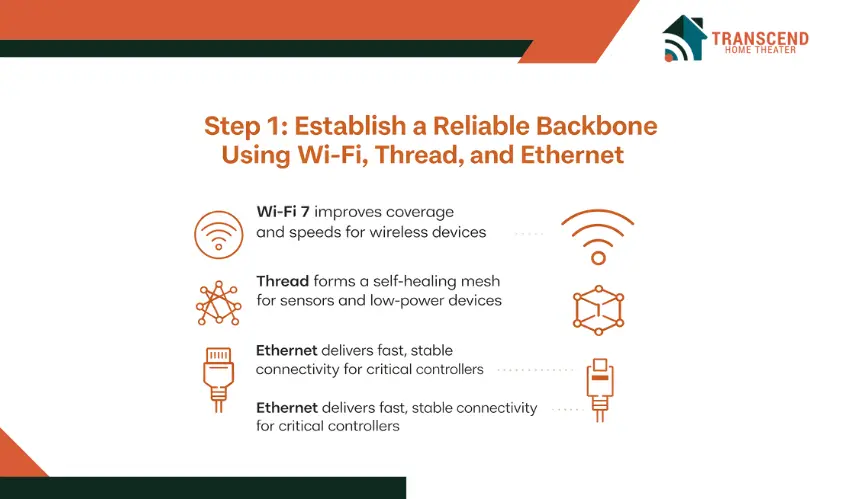
Step 1: Establish a Reliable Backbone Using Wi-Fi, Thread, and Ethernet
A dependable whole-home automation network begins with a strong communication foundation. This foundation supports every device, protocol, and controller that will operate in the home.
A well-planned backbone improves speed, reduces latency, and ensures that critical automations remain responsive even when the network is under load.
When Should You Use Ethernet In Smart Homes?
Ethernet forms the most reliable layer of a smart home infrastructure because it delivers uninterrupted wired connectivity. Devices that require steady throughput, such as media servers, security NVRs, home hubs, and high-bandwidth controllers, perform best when connected through structured cabling.
Point-to-point links, PoE switches, and shielded twisted-pair cabling eliminate signal loss and reduce interference, which keeps automation responses fast and predictable.
How Do You Design A Wi-Fi 7 Mesh For Smart Homes?
Wi-Fi 7 delivers higher capacity for dense device environments, a major advantage in smart homes, but performance still depends on proper access point placement. Homes with multiple floors or dense building materials require mesh nodes positioned to create overlapping coverage without increasing channel congestion.
Placing access points at elevated, open locations improves propagation and stability for smart speakers, cameras, appliances, and mobile controllers. A well-planned mesh supports smooth roaming and consistent speeds across the home.
How Does Thread Improve Low-Power Devices In Smart Homes?
Thread strengthens communication for sensors and low-power devices by creating a self-healing mesh that maintains stable links even if individual nodes fail. Border routers bridge Thread with Wi-Fi or Ethernet, enabling automation controllers to coordinate actions without interruption. This low-latency layer is ideal for occupancy sensors, contact sensors, and lighting modules that depend on fast, predictable communication.
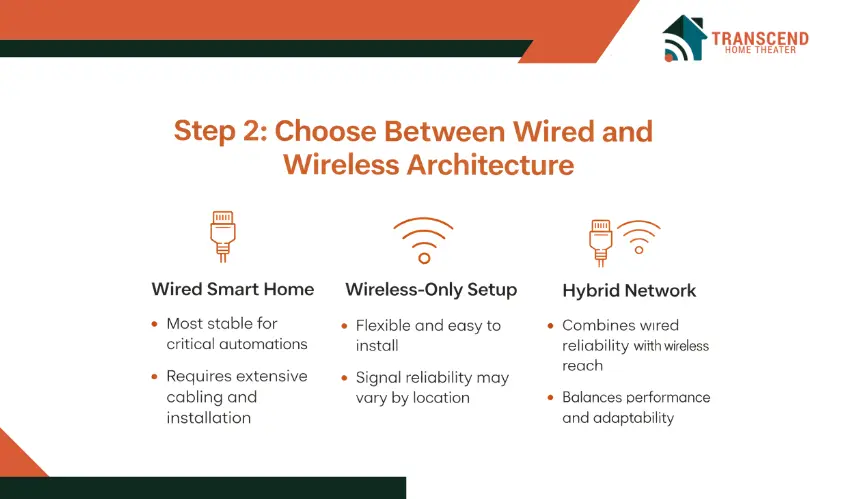
Step 2: Choose Between Wired And Wireless Architecture (Or Combine Both)
Designing a whole-home automation network requires selecting an architecture that supports long-term stability, smooth device communication, and flexibility for future upgrades. Each home benefits differently from wired, wireless, or hybrid structures, and understanding how these options perform helps ensure the final design fits the property’s layout and automation needs.
What Are The Pros And Cons Of A Wired Smart Home Setup?
A fully wired layout provides the most consistent performance because devices rely on direct Ethernet paths instead of shared wireless channels.
This approach reduces latency, eliminates interference, and enhances reliability for demanding systems such as media servers, control processors, and surveillance hubs.
The limitation is reduced flexibility, since adding new drops or re-routing cables may require structural modifications.
How Reliable Is A Wireless-Only Smart Home Setup?
A wireless-only setup offers flexibility and easier installation, especially in homes where cabling is difficult to install. Wireless networks support a wide range of mobile devices and automation endpoints, but reliability depends on signal strength, building materials, and interference from nearby networks. High device density can also create congestion during peak usage.
When Is A Hybrid Network Best For Smart Homes?
A hybrid approach delivers the strongest overall performance for smart homes in 2026 by combining wired stability with wireless flexibility. High-bandwidth devices benefit from Ethernet, while sensors, smart locks, and portable controllers connect through Wi-Fi or Thread.
This balanced design supports low-latency automation, efficient coverage, and simple scalability as homeowners add more devices over time.
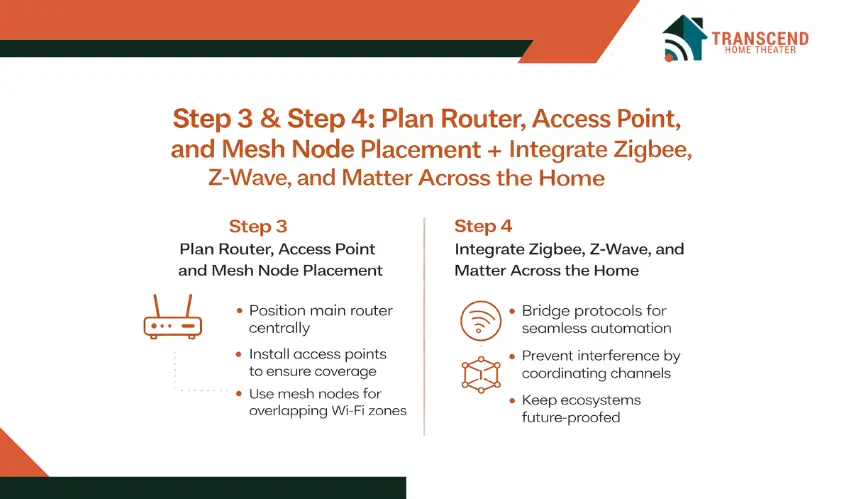
Step 3: Plan Router, Access Point, And Mesh Node Placement
Network performance in a smart home depends heavily on where key hardware components are installed. Even the most advanced routers or access points underperform when placed in locations that restrict signal movement or create unnecessary interference.
Proper placement ensures stable communication, smoother automation responses, and consistent coverage across every room.
Where Should You Place The Main Router In Smart Homes?
The router functions as the central distribution point for wireless communication, so it must be positioned where signals can travel freely. Placing it in an open, elevated, and central area improves propagation to devices throughout the home.
Avoiding closets, cabinets, and corners also prevents signal blockage. This placement supports reliable communication for lighting controls, voice assistants, smart TVs, and automation hubs.
Where Should You Install Access Points In Smart Homes?
Access points improve performance by distributing Wi-Fi across different zones of the home. Installing them on ceilings or high wall locations reduces interference from furniture and structural elements. APs should be spaced evenly between floors to eliminate dead zones and maintain consistent speeds for mobile controllers, cameras, and streaming devices.
Positioning each AP based on coverage needs ensures smooth communication during high workload periods.
How Do Mesh Nodes Improve Coverage In Smart Homes?
Mesh nodes strengthen the network by extending wireless coverage, but they must be placed where they can communicate clearly with each other. Site surveys help identify areas with signal loss, interference sources, or competing networks.
Using heatmapping tools to evaluate signal strength ensures each node is installed where it can create stable, overlapping coverage. This approach reduces latency and prevents performance dips in automation routines.
Step 4: Integrate Zigbee, Z-Wave, And Matter Across The Home
A reliable whole-home automation network must support different communication protocols without creating interference or performance bottlenecks. Since many homes include devices from multiple ecosystems, proper integration ensures every sensor, switch, controller, and appliance communicates smoothly within a unified automation environment.
How Do You Prevent Interference In Multi-Protocol Smart Homes?
A strong multi-protocol setup requires separating communication channels so that Zigbee, Z-Wave, and Wi-Fi signals do not overlap. Each protocol performs best when assigned a clear channel range, which prevents congestion and reduces latency.
Keeping hubs away from large metal surfaces and microwaves also helps prevent signal disruption. Organizing devices across these protocols based on their communication needs ensures smooth automation responses even under high network activity.
How Should Smart Homes Transition To Matter Protocol?
Matter is becoming the dominant interoperability standard, and moving toward it requires a structured approach. Homeowners can begin by updating firmware on compatible devices, replacing outdated hubs, and selecting new devices that support Matter natively.
Gradual migration prevents system disruption and allows older Zigbee or Z-Wave devices to continue functioning until replacement is necessary. This method maintains automation stability throughout the transition.
How Do You Ensure Long-Term Compatibility In Smart Homes?
Long-term reliability depends on selecting hubs and controllers that support multiple standards and can adapt to new device categories. Multi-hub orchestration allows different protocol layers to work together without delays, while protocol bridges extend compatibility across ecosystems.
This setup supports future device expansion, automation upgrades, and the introduction of next-generation technologies without requiring a complete system redesign.
Step 5: Choose Between A Central Hub And Distributed Controllers

A smart home’s responsiveness depends on how its automation logic is managed. Some systems rely on a single central hub, while others use multiple controllers placed throughout the home. Selecting the right architecture affects latency, reliability, and the ability to maintain automations during outages or high network activity.
What Are The Benefits Of Centralized Control In Smart Homes?
A centralized system manages all automation logic from one primary hub, which simplifies setup and provides a clear control point for scenes, routines, and device communication. This structure works well for smaller homes with moderate device counts.
Its main drawback is that the entire system can slow down or fail if the central hub becomes overloaded or experiences an outage, which affects overall reliability.
How Do Distributed Controllers Improve Smart Homes?
Distributed controllers divide automation tasks across multiple devices in the home, reducing reliance on a single hub. This approach lowers latency because routines execute closer to the devices they control.
Edge-based processing also enables offline operation for critical automations during internet disruptions. Homes with large device networks or high activity zones benefit most from this architecture.
Why Is A Hybrid Controller Setup Best For 2026 Smart Homes?
A hybrid structure combines a main hub for overall coordination with distributed controllers that manage device groups in different areas of the home. This creates a flexible and resilient automation environment.
The primary hub handles system-wide routines, voice integrations, app control, and cloud services, while secondary controllers take care of localized functions such as lighting scenes, HVAC adjustments, or security triggers.
By dividing responsibilities, the system avoids overloading any single device, reduces latency during busy periods, and supports smoother performance as new rooms, devices, or automation features are introduced over time.
Step 6: Plan Bandwidth And Traffic Management For Multi-Device Environments in Smart Homes
A whole-home automation network becomes more demanding as more sensors, cameras, controllers, and appliances come online. Careful bandwidth planning helps prevent congestion, timing delays, and device miscommunication. This step ensures the network can handle current needs while staying prepared for future expansion.
How Do You Forecast Device Load In Smart Homes?
Forecasting begins by listing existing devices and estimating how many new devices will join the home over the next several years. High-bandwidth devices such as cameras and smart displays require significantly more throughput than sensors or low-power automation modules.
Grouping devices by function makes it easier to understand their combined bandwidth requirements, which helps determine whether the network can support future device growth without experiencing slowdowns.
How Can You Manage Traffic Priorities In Smart Homes?
Managing traffic priorities involves assigning more bandwidth to devices that depend on real-time communication. Quality of Service settings help ensure that cameras, automation hubs, and essential controllers receive stable bandwidth even during peak usage periods.
Creating separate virtual networks for smart devices and general household traffic can also reduce congestion by preventing one category from overwhelming the other. This improves latency and keeps automation routines responsive.
What Tools Monitor Network Performance In Smart Homes?
Network health tools track bandwidth usage, device performance, and signal quality over time. Heatmapping and spectrum analysis software help identify weak coverage zones, channel conflicts, or interference sources.
Many modern routers also include built-in analytics that reveal long-term trends, making it easier to resolve issues before they affect automation reliability. These tools ensure the network remains stable even as new devices are added.
Step 7: Future-Proof The Automation Network For Long-Term Scalability of Your Smart Home
A smart home network must support ongoing growth as new devices, protocols, and automation features emerge. Future-proofing ensures the system remains stable and adaptable even as homeowners upgrade appliances, expand living spaces, or add new automation categories.
A forward-thinking approach strengthens long-term performance and minimizes the need for major redesigns. Working with a trusted smart home automation company can help ensure that every part of the network is designed with long-term expansion and compatibility in mind.
How Do You Prepare Smart Homes For New Technologies?
Preparing for future technology involves selecting hardware that can receive firmware updates, support new interoperability standards, and work with expanding device ecosystems. Systems that are compatible with Matter, Thread, and upcoming AI-driven automation tools offer more longevity.
Adding PoE or PoE Plus switches and oversized network enclosures ensures enough power and physical space for future devices. This preparation helps the network stay aligned with emerging trends without forcing a complete upgrade.
How Do Modular Installs Support Smart Home Expansion?
A modular approach allows homeowners to add new zones, rooms, or device clusters without disrupting the existing setup. Using patch panels, structured cabling, and expandable network racks creates flexibility for new Ethernet drops or additional access points.
This structure keeps the network organized and ensures that future upgrades can be completed quickly and neatly, even in homes undergoing renovation or expansion.
How Do You Maintain Security And Stability As Smart Homes Continue To Grow?
Security becomes more important as the number of connected devices increases. A zero-trust approach protects the network by verifying every device before granting access.
Creating separate network segments for smart devices, guest traffic, and personal devices reduces exposure and keeps sensitive data secure.
Regular updates and device monitoring help detect vulnerabilities early, ensuring long-term stability as the smart home continues to expand.
For homeowners looking to build a smarter, more reliable automation ecosystem, Transcend Home Theater offers expert design and installation services that bring every part of the network together. Our team creates stable, scalable, and future-ready smart home systems that deliver seamless performance in every room.
Frequently Asked Questions
How Can Seasonal Weather Changes Affect Smart Home Network Performance?
Seasonal weather changes influence network performance by altering the environment around cables, wireless signals, and hardware. High humidity can corrode connectors, extreme heat can weaken signal stability, and cold temperatures may reduce the flexibility of outdoor cabling.
Maintaining proper insulation, ventilation, and temperature control around network equipment helps prevent these issues and ensures consistent year-round performance.
What Is The Best Way To Handle Smart Home Devices On Different Floors Or Levels?
The best approach is to treat each floor as a separate coverage zone with its own access point, Thread router, or repeater. Multi-level homes often suffer from vertical signal loss, so placing dedicated hardware on each level ensures strong communication for devices located upstairs, downstairs, or in basements. This strategy keeps automations responsive and eliminates dead spots between floors.
Do Smart Homes Need Dedicated Power Backup Systems For Their Networks?
Yes, backup power is important because routers, hubs, and controllers shut down immediately during an outage, interrupting automations and device communication.
A small UPS for core network equipment or a whole-home battery backup keeps essential smart home functions running, including security alerts, lighting automations, and key monitoring systems. This ensures the network remains functional in emergency situations.
How Often Should Smart Home Networks Be Reviewed Or Updated?
Smart home networks should be reviewed at least once a year to check for device overload, outdated hardware, emerging security vulnerabilities, or new compatibility requirements.
Annual evaluations help determine whether additional access points, upgraded controllers, or improved cabling are needed. Regular updates keep the network aligned with new protocols and ensure stable performance as the smart home expands.
Can Large Appliances Or Electronics Interfere With Smart Home Signals?
Large appliances can interfere with wireless communication because metal surfaces and motors can weaken or block signals. Microwaves, refrigerators, washing machines, and similar appliances often create interference zones.
Positioning routers, hubs, and access points away from these appliances helps maintain steady signal strength and prevents disruption to automation routines.