
How Does Lighting Control Enhance a Home Theater Experience?
Key Takeaways:
|
A high-performance home theater depends on more than display quality and surround sound. Uncontrolled lighting can introduce screen glare, reduce perceived contrast, cause eye fatigue, and weaken the immersive effect that home theater systems are designed to create.
Lighting control addresses these issues by managing brightness levels, light placement, and automation to support optimal viewing conditions. This article explains how lighting control directly influences the home theater experience and which lighting strategies deliver the greatest impact.
Why Lighting Control Matters in a Home Theater
Lighting conditions directly affect how accurately a screen can reproduce contrast, color depth, and shadow detail. Even a high-end display or projector can appear less effective when ambient light is not properly managed
How Does Lighting Control Reduce Glare on the Screen?
Glare occurs when light sources reflect off the display surface or projection screen and compete with the image being viewed. Ceiling fixtures, uncovered windows, and improperly positioned lamps can create bright reflections that distract viewers and obscure on-screen details.
Lighting control minimizes these reflections by reducing unnecessary light output and directing illumination away from viewing surfaces. The result is a cleaner image with fewer visual distractions, allowing viewers to focus on content rather than environmental lighting conditions.
How Does Lighting Control Improve Contrast and Picture Clarity?
Display technology relies on the difference between bright and dark areas to create depth and image realism. Excess ambient light raises the room’s overall brightness level, making black tones appear gray and reducing visible contrast.
Controlled lighting preserves darker viewing conditions, enabling televisions and projectors to render deeper blacks, sharper highlights, and more detailed shadow regions. This allows HDR content, cinematic scenes, and high-resolution media to perform closer to their intended visual quality.
How Does Lighting Control Create a More Immersive Viewing Environment?
Visual immersion depends on minimizing environmental distractions that compete with on-screen content. Bright room lighting constantly reminds viewers of the surrounding space, reducing the sense of engagement with the movie, game, or presentation.
Lighting control creates a focused visual environment by lowering unnecessary illumination and maintaining consistent light levels throughout the viewing session. This shifts attention toward the screen, helping viewers remain engaged with the content rather than the room itself.
How Different Lighting Zones Improve the Home Theater Experience
A home theater performs best when lighting is controlled by zone rather than by a single room-wide switch. Separating lighting functions allows the room to support viewing quality, occupant comfort, and safe movement without compromising screen performance.
Screen-Area Lighting Should Stay Low and Controlled
The area surrounding the display or projection screen has the greatest influence on perceived image quality. Light directed toward the screen can reduce visible detail, especially during dark scenes where shadow information is critical.
For this reason, lighting near the front wall is typically limited to dimmable indirect fixtures, recessed lighting positioned away from viewing angles, or concealed architectural lighting. This approach preserves image integrity while preventing hotspots and reflections that compete with on-screen content.
Seating-Area Lighting Improves Comfort and Movement
Viewers still need enough illumination to navigate the room, locate seating, or access controls without introducing excessive brightness into the viewing environment. Dedicated seating-zone lighting solves this challenge.
Low-level pathway lighting, illuminated risers, and wall-mounted fixtures can provide functional visibility while maintaining appropriate viewing conditions. This zoning approach is particularly useful in larger dedicated theater rooms where complete darkness may create safety concerns during movement.
In higher-end residential projects throughout McLean, VA, home theaters are often integrated into finished basements and multi-purpose entertainment spaces. In these layouts, separating seating-zone lighting from screen-zone lighting helps maintain viewing quality while accommodating movement between theater seating, gaming areas, and adjacent recreation spaces.
Accent Lighting Adds Atmosphere Without Distraction
Accent lighting serves a different purpose than task or navigation lighting. Instead of improving visibility, it defines architectural features and creates visual depth within the room.
Common examples include cove lighting, LED strip lighting behind wall panels, illuminated shelving, and indirect perimeter lighting. When properly dimmed, these elements add dimension to the theater environment without drawing attention away from the screen.
The most effective accent lighting remains visually subordinate to the displayed content. Excessive brightness, rapidly changing colors, or poorly positioned fixtures can become distractions rather than enhancements, reducing the overall viewing experience.
How Smart Lighting Scenes Make Home Theater Use Easier
Lighting control becomes significantly more effective when it is automated through predefined scenes. Instead of manually adjusting multiple fixtures, users can activate lighting profiles that instantly match the activity taking place in the room.
How Does One-Touch Movie Mode Set the Room Instantly?
Movie mode combines multiple lighting adjustments into a single command. Dimmers reduce ambient light, accent lighting shifts to low-output settings, and unnecessary fixtures turn off automatically.
This eliminates the transition period between normal room use and viewing mode. More importantly, it creates consistent lighting conditions every time content is played, ensuring that picture quality and viewing comfort are not dependent on manual adjustments.
How Do Pause and Intermission Scenes Improve Convenience?
Completely dark rooms can become impractical when viewers need to move around, locate remote controls, or access refreshments. Pause scenes address this issue by temporarily increasing illumination without switching the room into full-brightness mode.
Rather than activating all fixtures simultaneously, a programmed pause scene typically raises pathway lighting, seating-area illumination, and select accent lighting. This preserves visual comfort by avoiding the sudden brightness changes that can strain the eyes after extended viewing.
How Do Voice Control and App Control Simplify Adjustments?
Modern lighting systems allow brightness levels, scene selection, and fixture groups to be managed from mobile applications, touch panels, voice assistants, or centralized automation platforms.
This level of control is particularly valuable in larger residential entertainment spaces where multiple lighting circuits operate simultaneously.
Many luxury homes incorporate lighting automation as part of a broader smart home ecosystem. As demand for integrated entertainment spaces continues to grow, home theater installers in McLean, VA, increasingly combine lighting scenes, audiovisual equipment, motorized shades, and control systems into a single user interface. This approach reduces operational complexity while maintaining consistent viewing conditions across different entertainment activities.
What Lighting Features Have the Biggest Impact?
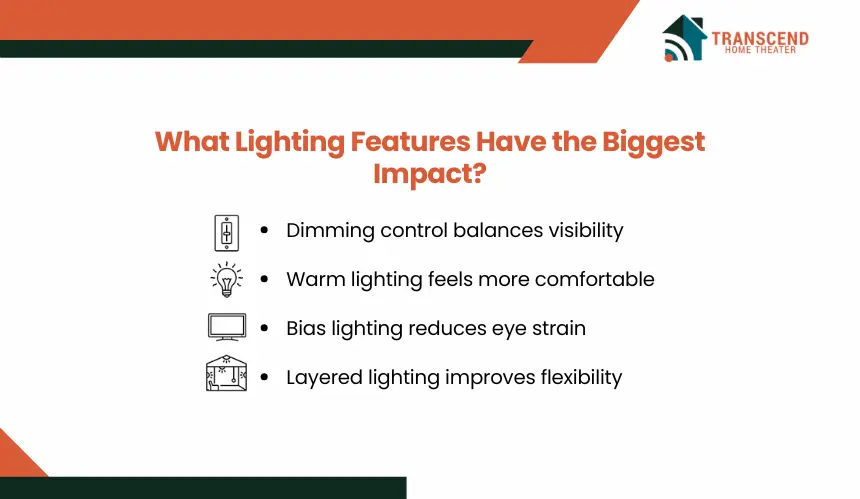
Not all lighting control features contribute equally to home theater performance. Certain capabilities directly influence viewing quality, visual comfort, and operational flexibility, making them far more valuable than basic on/off lighting control.
Why Is Dimming Control Essential for a Home Theater?
A fixed-output light source forces the room into a single brightness level regardless of the activity taking place. Home theaters require greater flexibility because optimal lighting conditions vary between movies, gaming, sports broadcasts, and casual viewing.
Dimming control allows light output to be adjusted with precision, helping maintain appropriate illumination without introducing excessive brightness. This enables users to balance visibility and screen performance rather than choosing between complete darkness and a fully lit room.
Why Does Warm Color Temperature Create a Better Viewing Environment?
Color temperature influences how lighting is perceived by the human eye. Cooler lighting, typically found in office environments, produces a brighter and more alert visual atmosphere that can feel harsh during extended viewing sessions.
Warm lighting creates a softer visual environment that is better suited for entertainment spaces. It reduces perceived brightness at similar light levels and supports a more relaxed viewing experience without competing with the color reproduction of the display.
How Can Bias Lighting Reduce Eye Strain?
Bias lighting refers to low-level illumination positioned behind a television or display surface. Unlike ambient room lighting, it does not project light directly onto the screen.
The primary function of bias lighting is to reduce the visual contrast between a bright display and a dark surrounding environment. This allows the eyes to adapt more comfortably during long viewing sessions, particularly when watching high-contrast HDR content.
How to Optimize Lighting Control for the Best Home Theater Setup
Effective lighting control depends on system design as much as the lighting technology itself. Fixture placement, lighting layers, and scene programming determine whether the system enhances the viewing experience or creates new visual distractions.
Avoid Direct Light Hitting the Screen
The most effective home theater lighting plans prevent light from reaching the display surface directly. Even low-output fixtures can create reflections, reduce perceived contrast, and interfere with image detail when positioned incorrectly.
Recessed fixtures should be located outside primary viewing angles, while decorative lighting should be aimed toward walls, ceilings, or architectural features rather than toward the screen. Window treatments also play an important role by preventing daylight from introducing uncontrolled brightness into the room.
Use Layered Lighting Instead of One Bright Source
A single ceiling fixture forces the entire room to operate at one brightness level, limiting flexibility and reducing control over the viewing environment.
Layered lighting separates functions across multiple lighting types, including:
- Ambient lighting for overall room illumination
- Accent lighting for architectural features and visual depth
- Pathway or step lighting for safe movement
- Task lighting for occasional functional activities
This approach allows each layer to be adjusted independently, creating lighting conditions that match the room’s specific use at any given time.
Match Lighting Scenes to How the Room Is Used
Different entertainment activities place different demands on the viewing environment. A movie typically benefits from minimal ambient light, while sports viewing or social gatherings may require slightly brighter conditions that allow conversation and movement.
Programming dedicated scenes for each activity ensures consistent results without repeated manual adjustments. Rather than modifying individual fixtures every time the room is used, occupants can activate preconfigured settings designed for specific use cases.
This strategy is especially beneficial in multifunction entertainment spaces where the room serves as a theater, gaming area, and family gathering space. By aligning lighting scenes with actual usage patterns, homeowners can maximize both visual performance and day-to-day usability.
Frequently Asked Questions
Can lighting control work with an existing home theater setup?
Lighting control can usually be added to an existing home theater if the room already has separate circuits, dimmable fixtures, or compatible smart switches. More advanced upgrades may require rewiring, scene controllers, or integration with an AV control system. The best approach depends on fixture type, wiring access, and automation goals.
Is smart lighting necessary for a home theater, or are dimmer switches enough?
Dimmer switches can improve basic brightness control, but smart lighting adds scene presets, remote access, automation, and integration with motorized shades or AV equipment. For casual viewing rooms, dimmers may be enough. For dedicated theaters or multi-use media rooms, smart lighting provides better consistency and easier control.
What type of lighting should be avoided in a home theater?
Bright overhead fixtures, exposed bulbs, cool-white lighting, and fixtures aimed toward the screen should usually be avoided. These lighting sources can create reflections, flatten contrast, and make dark scenes harder to see. Indirect, dimmable, and low-glare lighting works better for controlled viewing environments.
Does lighting control make a bigger difference for projectors or TVs?
Lighting control has a stronger impact on projector-based theaters because projected images are more sensitive to ambient light. Even small amounts of uncontrolled brightness can reduce contrast and black levels. TVs are usually brighter, but they still benefit from glare reduction, bias lighting, and controlled room brightness.
Should home theater lighting be controlled separately from the rest of the house?
Separate control is usually better because home theaters need different lighting behavior than kitchens, hallways, or living rooms. Dedicated lighting zones allow movie mode, pause mode, gaming mode, and cleanup lighting to operate independently. This prevents whole-home lighting scenes from disrupting the theater environment.