
Designing One-Touch Home Theater Scenes (Movie Night, Gaming, Sports)
Key Takeaways
|
Walking into a room and triggering an entire cinematic or game-day transformation with a single tap feels effortless. Behind that simplicity, however, is precise automation logic, calibrated audio video components, and synchronized lighting control working together in real time.
Designing one-touch home theater scenes means creating programmed environments where displays, AV receivers, smart dimmers, motorized shades, and control systems respond instantly to a single command.
This article explains how to structure those scenes strategically so performance, immersion, and usability are all optimized from the very first touch.
What Are One-Touch Home Theater Scenes?
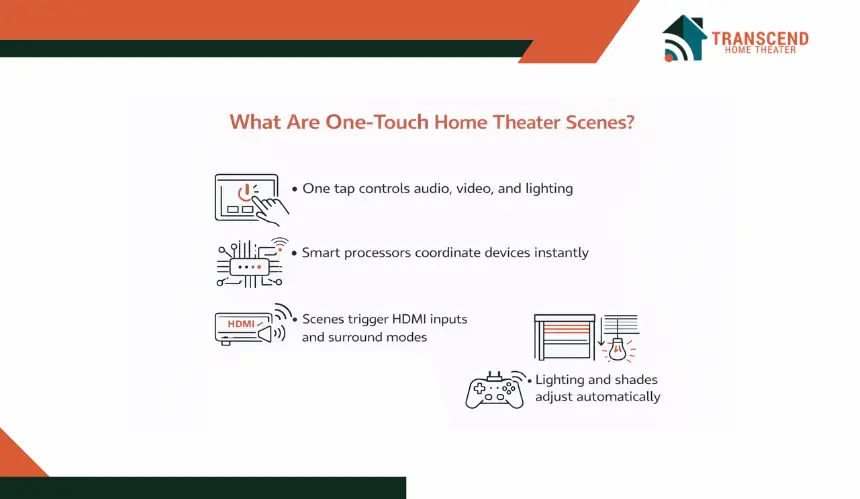
One-touch home theater scenes are pre-programmed automation sequences that control multiple devices through a centralized smart home processor. With a single tap on a touchscreen, remote, or voice command, the system can power on the display, switch HDMI inputs, activate the AV receiver, adjust surround sound modes such as Dolby Atmos, dim smart lighting zones, and close motorized shades in a coordinated order.
Technically, these scenes function as macros programmed inside platforms like Control4, Crestron, Savant, or RTI. The automation processor sends timed commands via IP control, Zigbee, Z-Wave, or IR to ensure proper device communication, signal detection, and audio video synchronization. Proper sequencing accounts for projector warm-up cycles, AVR input mapping, and lighting fade curves to prevent command conflicts or delays.
Unlike basic remote shortcuts, professionally engineered scenes are structured for reliability and consistency. They transform lighting control, signal routing, and audio calibration into a unified experience tailored to a specific activity. The result is predictable performance every time Movie Night, Gaming Mode, or Sports Viewing is activated.
Core Components Required for Reliable Scene Automation
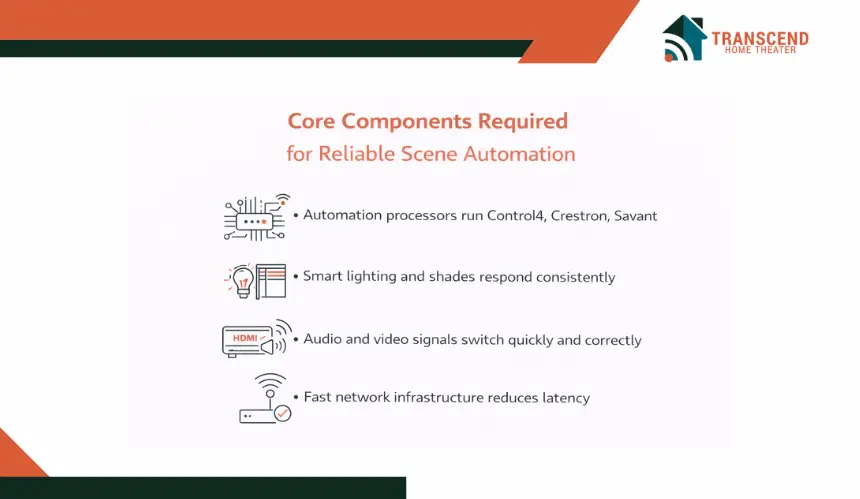
A one-touch scene only performs as well as the infrastructure behind it. Reliable automation depends on a properly engineered control backbone, stable device communication, and coordinated integration between lighting, audio, video, and networking systems. Without this foundation, scenes may execute partially, respond slowly, or fail under load.
1. Control System and Automation Processor
The control processor acts as the command center. Platforms such as Control4, Crestron, Savant, or RTI manage device communication through IP control, Zigbee, Z-Wave, or IR. A dedicated automation controller ensures timed command sequencing, device handshake validation, and consistent execution across AV receivers, displays, media players, and smart dimmers.
Local processing is preferred over cloud-only routines because it reduces latency and improves reliability. In high-performance home theater environments, instant response time and stable network architecture directly affect user experience.
2. Smart Lighting and Environmental Control
Lighting is not decorative in a theater environment. It directly influences perceived contrast, eye comfort, and immersion. Scene-ready lighting systems require dimmable LED fixtures, zone-based control, and programmable fade curves.
Smart dimmers from brands such as Lutron integrate seamlessly into scene logic, allowing precise brightness percentages rather than simple on or off control.
Motorized shades also play a role in light management. Automated blackout shades reduce ambient light intrusion, improving projector contrast ratio and HDR performance.
3. Audio and Video Signal Integration
Scene automation must account for the entire AV signal chain. The AV receiver handles surround sound processing such as Dolby Atmos or DTS:X, while displays and projectors require correct input selection and resolution negotiation through HDMI 2.1 or eARC connections.
Proper integration ensures that:
- The correct input source is selected
- Audio modes match the activity profile
- Video processing settings align with content type
- Subwoofer and speaker calibration presets activate automatically
This layer involves HDMI matrix switching, AVR input mapping, surround sound presets, and signal routing verification. If these elements are not properly configured, a scene may trigger devices without delivering the intended experience.
Designing a Movie Night Scene for True Cinematic Immersion
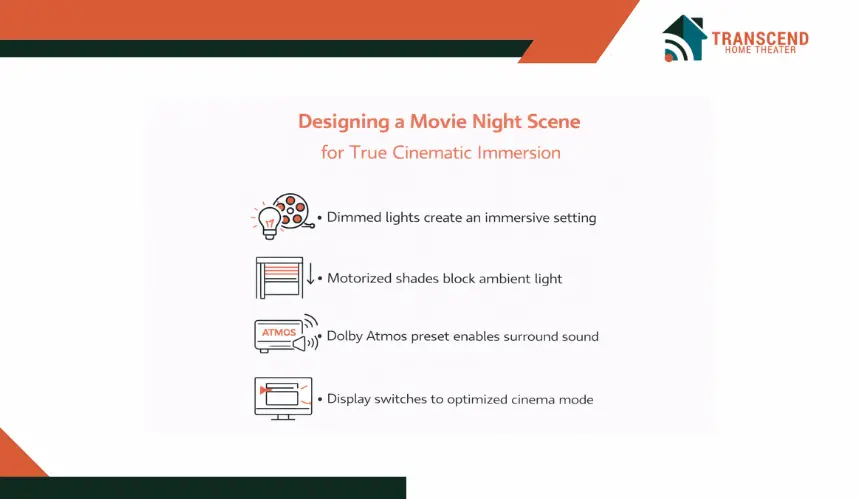
A Movie Night scene is built around immersion. The goal is to recreate a cinema-like environment where lighting disappears, sound becomes dimensional, and visual contrast is optimized for film content. Every programmed command should serve that emotional shift from everyday space to dedicated viewing mode.
Lighting and Ambience Configuration
Cinematic lighting requires controlled dimming, not total darkness. Most professional setups fade lights to 15 to 25 percent over several seconds to allow the eyes to adjust gradually. Smart dimmers such as Lutron enable precise brightness percentages and smooth fade curves rather than abrupt cutoffs.
Motorized blackout shades should close fully to eliminate ambient light. If bias lighting is installed behind the display, it can remain active at low intensity to improve perceived contrast and reduce eye strain.
Audio Calibration and Surround Sound Profiles
The AV receiver should automatically switch to a calibrated surround preset designed for films. This typically activates Dolby Atmos or DTS:X processing, enabling object-based audio and a three-dimensional soundstage.
A properly programmed Movie Night scene may also engage a subwoofer profile optimized for dynamic range, ensuring dialogue clarity while preserving impactful low-frequency effects. Speaker calibration data stored in the AVR allows the room to respond consistently every time the scene is triggered.
Video Mode and Source Selection
The display or projector must switch to a cinema or filmmaker mode that prioritizes accurate color reproduction and controlled motion processing. Unlike sports or gaming profiles, motion smoothing is usually disabled to preserve the director’s intended frame rate.
If using a projector, the automation sequence should account for lamp warm-up time before switching audio inputs to prevent sync issues. HDMI input mapping ensures the correct streaming device or Blu-ray player activates automatically.
Configuring a Gaming Mode Scene for Performance and Competitive Precision
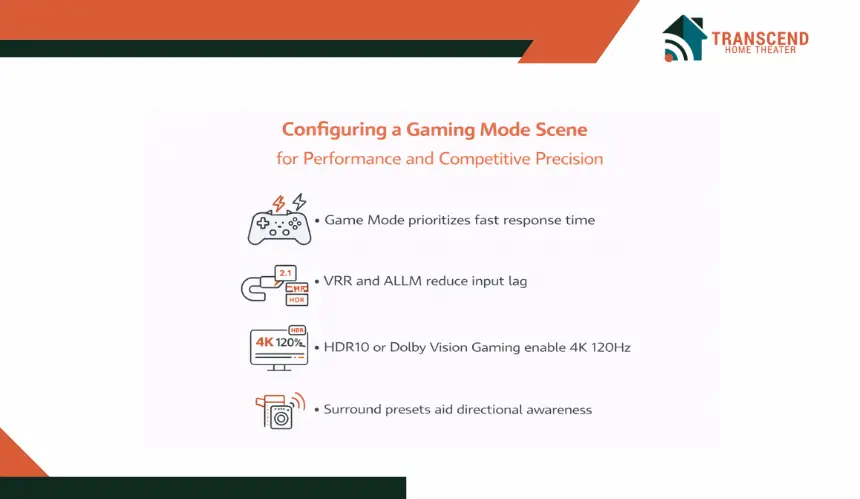
A Gaming Mode scene is engineered around responsiveness, clarity, and system latency control. Unlike a cinematic profile that prioritizes dynamic range and atmospheric immersion, gaming automation must optimize signal path efficiency and real-time performance.
Even minor processing delays can affect competitive gameplay, particularly in fast-paced titles where frame timing and controller response matter.
Display Configuration and Video Signal Optimization
The display must switch to a dedicated Game Mode profile. This setting disables non-essential video processing such as motion interpolation, advanced noise reduction, and artificial frame smoothing, all of which introduce input lag.
For systems supporting HDMI 2.1, the automation sequence should enable:
- Variable Refresh Rate (VRR)
- Auto Low Latency Mode (ALLM)
- 4K at 120Hz output where supported
- Proper HDR10 or Dolby Vision Gaming profile
The AVR must also pass through full bandwidth HDMI signals without engaging additional processing that could delay video transmission. In some installations, integrators configure direct console-to-display routing with eARC return audio to minimize latency across the signal chain.
Relevant technical entities include HDMI 2.1 bandwidth management, refresh rate synchronization, HDR gaming calibration, EDID negotiation, and signal pass-through configuration.
Audio Profile and Spatial Accuracy
Gaming audio differs from cinematic mixing. Competitive titles often require enhanced spatial cues, directional awareness, and controlled bass response. The scene can activate a calibrated surround preset optimized for positional accuracy rather than theatrical impact.
In high-performance setups:
- Dynamic compression may be reduced to preserve environmental detail
- Subwoofer gain may be slightly moderated to prevent masking mid-frequency cues
- Object-based audio formats such as Dolby Atmos for gaming may be enabled
Professional integrators often store multiple calibration profiles within the AV receiver, allowing the control processor to recall the correct acoustic configuration instantly.
Lighting Strategy for Visual Endurance
Complete darkness during gaming can increase eye fatigue during long sessions. A properly engineered Gaming Mode scene typically sets ambient lighting between 40 and 60 percent, depending on room size and screen luminance. Bias lighting behind the display improves perceived contrast while stabilizing pupil adjustment.
Smart lighting systems allow preset brightness levels that reduce glare without compromising screen visibility. This balance supports both casual console gaming and competitive esports environments.
Network and System Stability Considerations
Online multiplayer gaming introduces an additional variable: network performance. While not directly part of the scene trigger, a professionally designed gaming environment includes:
- Hardwired Ethernet connections instead of Wi-Fi
- Managed network switches with QoS prioritization
- Stable router configuration for low latency
Automation systems can also ensure unnecessary devices are powered down during Gaming Mode to reduce network congestion or electrical interference.
Designing a Sports Viewing Scene for Brightness, Motion Clarity, and Social Engagement
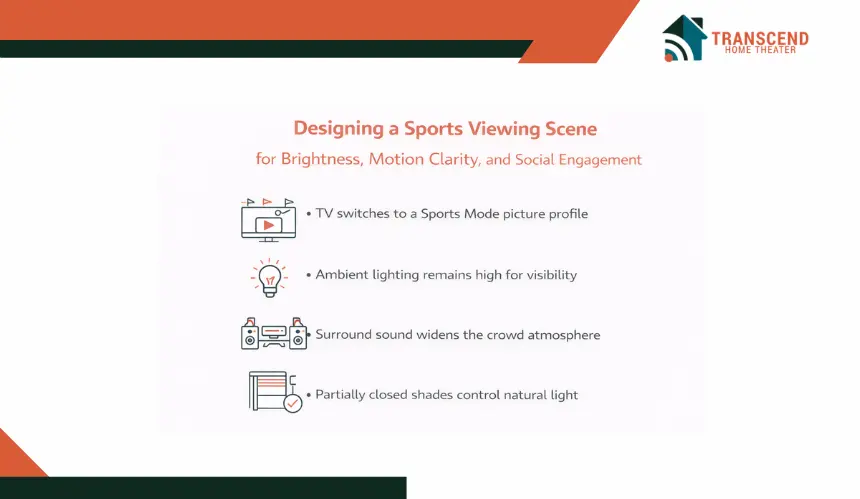
A Sports Viewing scene is structured around visibility, motion accuracy, and shared atmosphere. Unlike cinematic automation that favors controlled darkness or gaming profiles that reduce latency, sports environments require higher ambient light levels, enhanced motion handling, and audio distribution that supports group interaction. The objective is to create a room that feels energetic, open, and optimized for live broadcast content.
Display Configuration for High Frame Rate Broadcasts
Most live sports are broadcast at 60 frames per second, with increasing adoption of higher frame rate production in select events. The display should automatically switch to a Sports or Standard profile that enhances brightness and activates motion processing calibrated specifically for fast camera pans and player movement.
In professionally tuned systems, integrators configure:
- Motion interpolation balanced to reduce blur without introducing artifacts
- Increased peak brightness for daytime viewing conditions
- Color temperature adjustments for natural field and skin tone rendering
- Proper SDR or HDR broadcast mapping depending on the signal
HDMI input mapping ensures the correct cable box, streaming service, or satellite receiver activates instantly. EDID negotiation must confirm resolution and refresh rate compatibility to avoid handshake delays.
Lighting Design for Social Visibility
Sports viewing often involves multiple viewers moving around the room. Lighting cannot drop to cinematic levels. Instead, the scene should set ambient lighting between 60 and 75 percent, depending on room layout and screen brightness.
Smart lighting zones may include:
- Overhead recessed lighting for overall visibility
- Accent lighting for bar or seating areas
- Dimmable sconces that prevent screen glare
Motorized shades can partially close rather than fully blackout, allowing controlled natural light during daytime events. The goal is visual comfort without washing out the display image.
Audio Configuration for Group Atmosphere
Unlike gaming, which prioritizes positional precision, sports audio emphasizes clarity and spatial expansion. The AV receiver can activate a surround mode that widens the soundstage, distributing crowd noise evenly throughout the room to replicate stadium ambiance.
In larger installations, multi-zone audio distribution may extend commentary to adjacent spaces such as a kitchen or patio area. This requires synchronized audio routing and delay compensation to prevent echo or phase misalignment.
Automation Logic and Event-Based Triggers
Sports schedules are predictable. Advanced automation systems can integrate calendar-based triggers or preset activation times so the room is prepared before kickoff.
For example, a scene can power on the display, select the correct input, and adjust lighting fifteen minutes before a scheduled event.
Reliable execution requires proper command sequencing, device readiness confirmation, and stable IP control pathways to avoid delayed startup during live broadcasts.
How One-Touch Scenes Are Programmed and Activated
Designing a scene is only half the process. Execution depends on how that scene is programmed, deployed, and accessed across the control ecosystem. A professionally implemented automation strategy ensures consistent performance regardless of whether the user activates the system through a wall keypad, touchscreen, handheld remote, or voice assistant. The objective is interface consistency backed by reliable command sequencing.
Touchscreen Panels and Wall Keypads
Dedicated touch panels from platforms such as Control4, Crestron, or Savant provide the most structured control environment. Scenes are programmed within the automation processor using defined logic trees, conditional triggers, and timed command delays.
Best practice configuration includes:
- Clearly labeled activity-based scene buttons
- Custom icons for Movie, Gaming, and Sports modes
- Feedback confirmation indicating active system status
- Room-based zoning to prevent cross-room command conflicts
In enterprise-grade residential installations, keypad buttons can be hard-mapped to specific scenes. This reduces user friction and eliminates the need to navigate layered menus. Local processor execution ensures low latency and independence from cloud interruptions.
Universal Remote and Macro Configuration
Advanced universal remotes such as those integrated within RTI or Control4 ecosystems allow macro-based activation. These macros send a sequence of IR or IP commands in a predefined order. Timing intervals between commands are critical to prevent device miscommunication, particularly with projectors or AV receivers that require startup delays.
Professional configuration typically includes:
- Discrete power commands rather than toggle commands
- Verified input mapping for each device
- Fail-safe retries if a device does not respond
- Status-based triggers where supported
Avoiding HDMI-CEC reliance in complex systems improves reliability, as CEC can introduce unpredictable device switching behavior.
Voice Assistant and App-Based Activation
Voice control through Alexa, Google Assistant, or Siri Shortcuts introduces an additional integration layer. Rather than directly controlling each device, voice commands should trigger a predefined scene inside the automation processor. This maintains centralized control logic and avoids fragmented device commands.
Configuration considerations include:
- Proper scene naming for natural language recognition
- Network stability to reduce command latency
- Secure API integration between control platform and voice ecosystem
Mobile applications tied to the automation platform provide remote scene activation and monitoring. Enterprise-grade systems offer encrypted cloud gateways to ensure secure remote access without exposing the internal network.
Commissioning, Testing, and Optimization
Once programming is complete, structured commissioning ensures operational reliability. This phase involves validating command timing, confirming device handshake success, testing startup sequencing, and verifying audio video synchronization across all scene profiles.
Professional deployment standards include:
- Network stress testing under load
- HDMI bandwidth validation for 4K or 8K sources
- Audio calibration recall verification
- Lighting fade curve accuracy checks
Without thorough commissioning, even well-designed scenes can fail under real-world conditions.
Regional Considerations for Home Theater Automation in Virginia and Maryland
Home theater automation performance is influenced by regional environmental and infrastructure factors. In Virginia and Maryland, seasonal humidity shifts, older residential construction in historic districts, and coastal weather exposure can impact both networking stability and equipment longevity.
In areas such as Northern Virginia’s Fairfax and Arlington corridors, high-density housing and large-scale residential developments often require advanced Wi-Fi design to prevent signal congestion. Hardwired Ethernet backbones and managed network switches are strongly recommended for consistent IP control.
In parts of Maryland, particularly near Annapolis or coastal regions along the Chesapeake Bay, humidity management becomes critical. AV racks should include proper ventilation and climate control to protect AV receivers, control processors, and HDMI switching hardware from moisture-related degradation.
Additionally, older homes in historic areas of Alexandria or Baltimore may require electrical panel evaluation before installing high-powered projectors or multi-zone amplifiers. Dedicated circuits and surge protection systems help prevent voltage fluctuations that can disrupt scene execution.
Local best practices include:
- Whole-home surge protection for storm-prone seasons
- Structured wiring upgrades in older properties
- Climate-controlled AV rack enclosures
- Enterprise-grade Wi-Fi design for large estates
By accounting for regional environmental and infrastructure variables, home theater scenes remain stable and responsive regardless of seasonal or architectural conditions.
Your home theater should respond to you, not the other way around. If you want seamless Movie Night transitions, precision-driven Gaming modes, or a game-day setup that feels stadium-ready, Transcend Home Theater designs automation systems that execute flawlessly with a single touch. Let’s turn your entertainment space into an intelligent, performance-driven experience built around how you actually watch, play, and gather.
Frequently Asked Questions
Can one-touch home theater scenes integrate with streaming platforms like Netflix, Apple TV, or YouTube TV?
Yes, but indirectly. Automation systems do not control the streaming platform itself. Instead, they activate the correct source device, such as Apple TV or a streaming media player, and switch the display and AV receiver to the appropriate input. Some advanced control platforms can launch specific apps through IP control, depending on device compatibility and API support.
Is it possible to create temporary event-based scenes, such as a Super Bowl party or esports tournament setup?
Yes. Most professional automation platforms allow temporary or seasonal scenes to be programmed and later removed or modified. These custom profiles can adjust lighting intensity, multi-zone audio distribution, and display brightness specifically for large gatherings without altering the core Movie, Gaming, or Sports presets permanently.
How long does it typically take to professionally configure a fully integrated scene automation system?
For a properly integrated home theater with lighting control, AV calibration, and control processor programming, configuration and commissioning usually take one to three days. Larger estates with multi-room audio distribution and advanced networking may require additional time for structured testing and system validation.
Can one-touch scenes work during an internet outage?
Yes, if the automation processor is locally hosted. Systems such as Control4 or Crestron operate primarily on local networks, which means scene activation continues even if internet service is temporarily unavailable. However, cloud-dependent voice assistants and streaming services may be limited during outages.
What happens if I upgrade equipment later, such as switching to an 8K display or a new AV receiver?
Upgrading equipment typically requires reprogramming or updating the automation logic to reflect new input mappings, resolution capabilities, and control drivers. A well-designed control architecture makes this process straightforward by allowing modular updates rather than full system redesign.