
Key Takeaways
|
Screen Materials Explained: ALR, Grey, White & Acoustically Transparent Screens
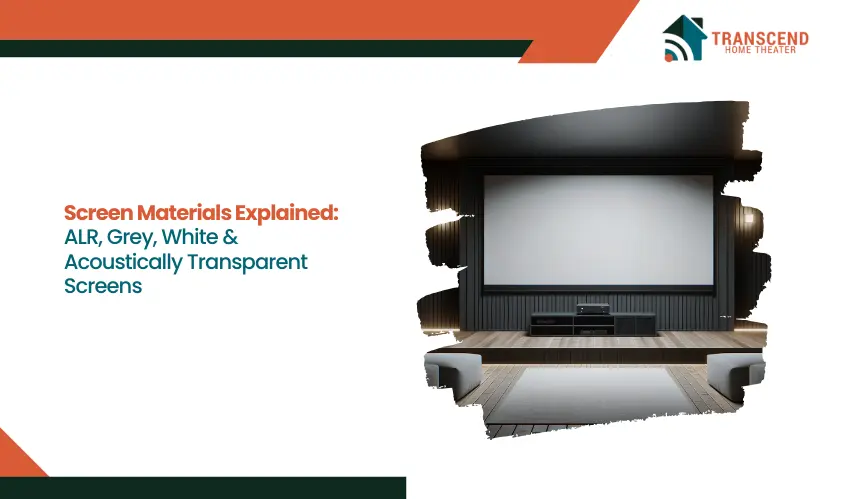
Choosing a projector often feels exciting. Choosing the right screen material, however, is where the real performance difference happens. The projection screen directly influences brightness perception, contrast ratio, black levels, color accuracy, and viewing angle.
Even a high-lumen projector can look flat or washed out if the screen surface does not match the room’s ambient light conditions.
This guide explains the four primary screen materials, ALR, grey, white, and acoustically transparent, so readers can understand how each interacts with projector performance and room lighting.
What Is an ALR (Ambient Light Rejecting) Screen
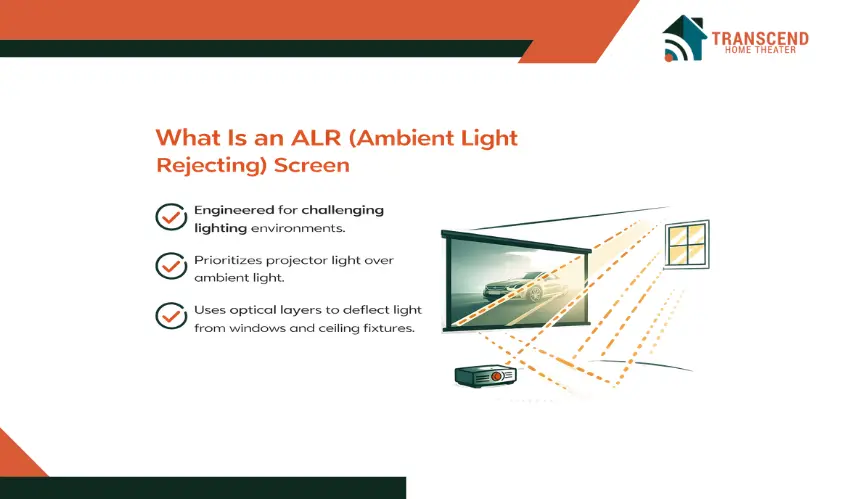
An ALR screen is engineered for rooms where controlling ambient light is difficult. Instead of simply reflecting all incoming light, this projection surface uses optical layering and directional reflectivity to prioritize projector light while minimizing interference from ceiling fixtures or windows.
How Does an ALR Screen Reject Ambient Light?
ALR technology relies on micro-structured surfaces such as lenticular patterns or optical filtering layers. These structures are designed to reflect light arriving from a specific angle, typically the projector’s throw angle, while absorbing or redirecting light coming from above or the sides.
This directional light control improves contrast ratio and preserves shadow detail even when overhead lighting is on. Unlike standard matte white materials that diffuse light uniformly, ALR screens use controlled reflectivity to maintain image depth in mixed lighting conditions. This makes them especially effective for daytime viewing and multi-purpose living spaces.
When Is an ALR Screen the Right Choice?
ALR screens perform best in environments where light cannot be fully eliminated. Open living rooms, media rooms with windows, and entertainment spaces used for sports or gaming during the day benefit significantly from ambient light rejection technology.
They are particularly suitable for:
- Rooms with consistent overhead lighting
- Spaces with limited blackout capability
- High-lumen projectors that need contrast preservation
- Ultra short throw or short throw setups when matched with compatible ALR materials
In these conditions, ALR helps maintain image punch without requiring complete darkness.
What Are the Limitations of ALR Screens?
While ALR screens offer superior ambient light performance, they are not universally ideal. Because they rely on directional reflectivity, viewing angles can be narrower compared to matte white or grey surfaces. Seating positioned far off-center may experience slight brightness shifts.
They also come at a higher price point due to their layered optical design. Additionally, compatibility matters. Some ALR screens are optimized for standard throw projectors, while others are engineered specifically for ultra short throw models. Using the wrong pairing can reduce uniform brightness or introduce hotspotting.
For viewers prioritizing daytime clarity and contrast in bright rooms, ALR remains one of the most technically advanced screen materials available.
What Is a Grey Projection Screen?
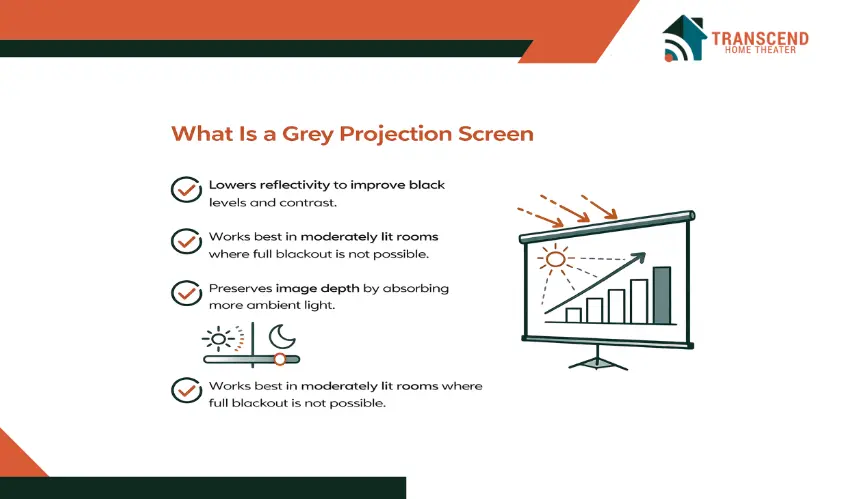
A grey projection screen is designed to enhance perceived contrast without relying on complex optical structures. Instead of maximizing brightness, it lowers reflectivity to deepen black levels and improve shadow detail. This subtle shift in surface tone can dramatically change how cinematic content looks in rooms with mild ambient light.
Unlike ALR materials that actively reject directional light, grey screens work by controlling overall light reflection. They absorb more stray light than matte white surfaces, which helps maintain image depth when the room is not fully dark.
How Does a Grey Screen Improve Black Levels and Contrast?
Grey screens typically have a gain rating lower than 1.0, meaning they reflect less light than a standard white surface. This reduced reflectivity prevents lighter tones from overpowering darker scenes, resulting in improved black levels and more balanced contrast.
When paired with a projector that delivers adequate lumen output, a grey surface enhances dynamic range and preserves fine shadow details. Dark movie scenes appear richer, and mid-tones retain clarity without looking washed out.
What Room Conditions Are Ideal for Grey Screens?
Grey screens perform best in rooms with moderate ambient light rather than fully bright spaces. They are well suited for media rooms where lighting is partially controlled but not completely eliminated. For example:
- Rooms with dimmable overhead lights
- Spaces with indirect daylight
- Home theaters focused primarily on movie watching
- Setups using mid-to-high lumen projectors
In these environments, grey screens strike a balance between brightness and contrast without requiring specialized optical rejection layers.
What Trade-Offs Should Gray Projection Screen Buyers Consider?
Because grey materials reflect less light, peak brightness can be slightly reduced compared to a white screen. This makes projector lumen compatibility important. Lower-lumen projectors may struggle to maintain vivid highlights on a darker surface.
Color calibration may also require fine-tuning to maintain accurate white balance. While modern projectors can compensate through image adjustments, proper setup ensures optimal performance.
For viewers prioritizing cinematic contrast in moderately lit rooms, a grey projection screen offers a straightforward and effective solution without the complexity or cost of ambient light rejecting technology.
What Is a White Projection Screen?
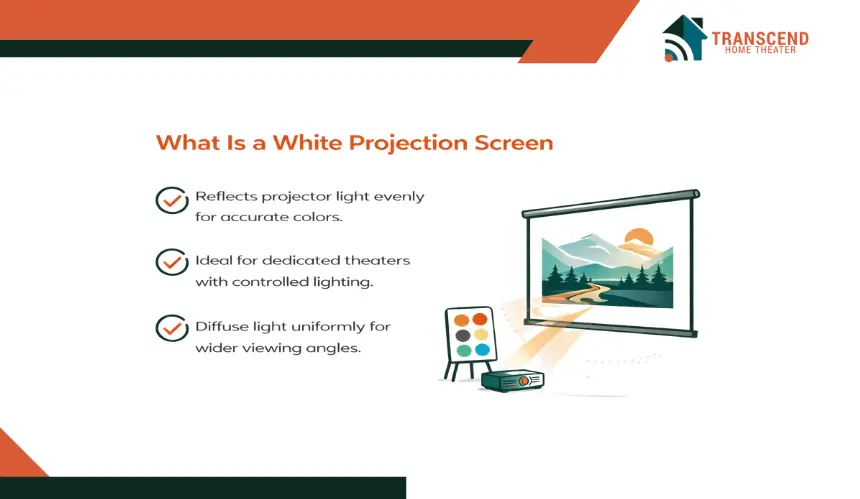
A white projection screen is the industry standard and the most widely used projection surface in dedicated home theater environments. Its neutral color and balanced reflectivity allow it to reproduce images without altering color temperature or tonal balance.
For viewers who prioritize accurate color reproduction and consistent brightness across the screen, white remains the baseline reference material.
Unlike ALR or grey materials, white screens do not manipulate light direction or selectively absorb ambient light. They are designed for even light diffusion, which ensures uniform brightness and stable image integrity when the room lighting is controlled.
Why Are White Screens Considered the Reference Standard?
White screens typically feature a gain rating of 1.0, meaning they reflect projected light evenly without amplifying or suppressing brightness. This neutral gain supports accurate color calibration, making them ideal for film enthusiasts who care about precise color fidelity and natural skin tones.
Because they diffuse light uniformly, white screens maintain consistent brightness across wider viewing angles. This makes them suitable for larger seating arrangements where viewers sit off-center.
What Room Setup Works Best With a White Screen?
White screens perform best in fully darkened environments where ambient light is minimal or eliminated. Dedicated home theaters with blackout curtains, controlled lighting, and darker wall colors create optimal conditions for this material.
Ideal scenarios include:
- Cinema-style rooms designed primarily for movie watching
- Controlled lighting setups with dimmable fixtures
- High-resolution projectors where color precision matters
- Wide seating layouts requiring consistent off-axis brightness
In these settings, white screens deliver clean, natural images without artificial contrast manipulation.
Where Do White Screens Struggle?
Because they reflect all incoming light evenly, white screens are more vulnerable to ambient light interference. In bright rooms, blacks can appear washed out and overall contrast may decline. This is not a flaw in the material itself but a reflection of its neutral design.
They are not optimized for daytime viewing unless paired with very high-lumen projectors and strong light control strategies. For users with mixed lighting conditions, alternative materials may provide better perceived contrast.
For viewers building a dedicated home theater with controlled lighting, a white projection screen remains one of the most reliable and color-accurate choices available.
What Is an Acoustically Transparent Screen?
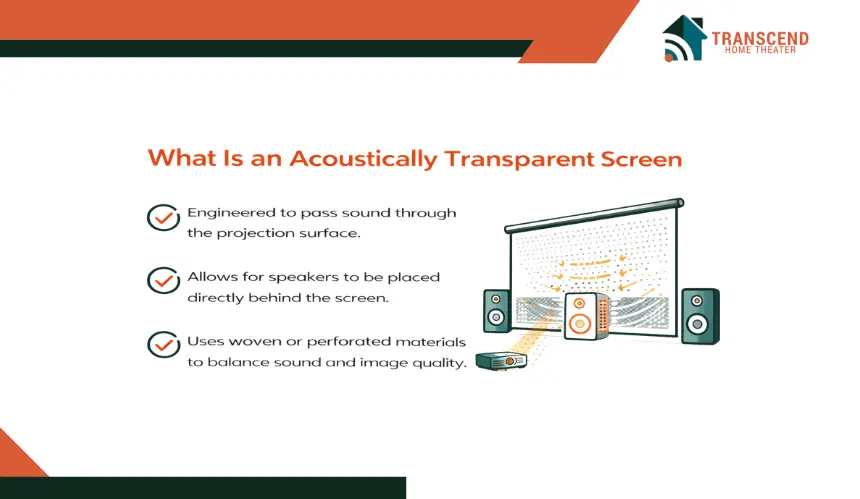
An acoustically transparent screen is designed to allow sound to pass through the projection surface without significantly degrading image quality.
This material enables speakers to be positioned directly behind the screen, replicating the audio alignment used in commercial cinemas. For viewers building a true theater-style setup, this screen type solves both visual and acoustic placement challenges.
Unlike white, grey, or ALR materials that focus strictly on light performance, acoustically transparent screens integrate audio engineering into the screen design itself.
How Does an Acoustically Transparent Screen Let Sound Pass Through?
There are two primary construction methods: woven fabric and micro-perforated vinyl. Woven projection screens use tightly interlaced fibers that create small acoustic gaps, allowing sound waves to travel through naturally. Micro-perforated screens contain tiny, evenly spaced holes engineered to maintain image uniformity while enabling audio permeability.
These materials are tested for sound transparency, acoustic attenuation, and frequency response consistency. When properly installed, they allow center channel speakers and front left and right channels to sit directly behind the screen, aligning dialogue and on-screen action precisely.
When Is an Acoustically Transparent Screen the Right Choice?
This screen type is ideal for dedicated home theater builds where accurate audio imaging is a priority. It is particularly beneficial for:
- 5.1, 7.1, or Dolby Atmos surround sound systems
- Rooms with fixed speaker placement goals
- Installations seeking cinematic sound staging
- Theater rooms where aesthetics favor concealed speakers
Placing speakers behind the screen creates a more immersive experience because dialogue originates from the exact position of the actors on screen rather than from below or beside it.
What Performance Trade-Offs Should Be Considered?
Because the material contains perforations or woven gaps, slight brightness reduction can occur compared to solid surfaces. High-lumen projectors typically compensate for this loss without noticeable impact.
There is also a small risk of moiré patterns if projector resolution and screen weave are not properly matched. Proper installation distance and calibration eliminate this issue in most modern setups.
Acoustically transparent screens are less about ambient light performance and more about audio realism. For viewers who value synchronized sound positioning and clean speaker integration, this material delivers a level of immersion that standard projection surfaces cannot provide.
Key Differences Between ALR, Grey, White, and Acoustically Transparent Screens
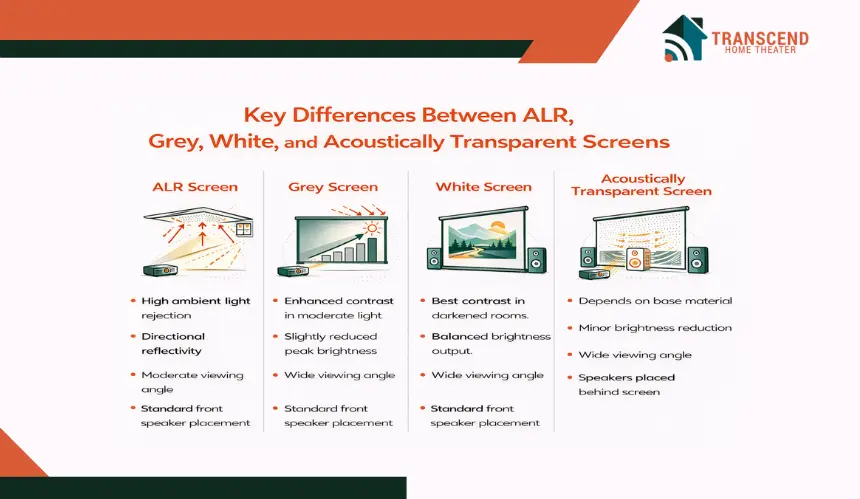
Each screen material solves a different performance challenge. Some prioritize ambient light control, others enhance contrast, and some focus on audio alignment. Comparing them side by side helps clarify which features matter most for a specific viewing environment.
Instead of repeating definitions, this section isolates performance metrics such as light handling, brightness behavior, viewing flexibility, and audio compatibility.
How Do These Screen Materials Compare Across Core Performance Factors?
The table below highlights the functional differences between ALR, Grey, White, and Acoustically Transparent Screens based on real-world usage criteria.
Performance Factor | ALR Screen | Gray Screen | White Screen | Acoustically Transparent Screen |
Ambient Light | High rejection of overhead and side light | Moderate absorption of stray light | Low resistance to ambient light | Depends on base material |
Contrast Performance | Strong perceived contrast in bright rooms | Enhanced black levels in moderate light | Natural contrast in dark rooms | Varies by surface color |
Screen Gain Behavior | Directional reflectivity | Typically below 1.0 gain | Usually 1.0 gain neutral | Slight brightness reduction |
Viewing Angle | Moderate to slightly narrower | Wide | Wide | Wide |
Brightness Output | Maintains perceived brightness in light | Slightly reduced peak brightness | Balanced brightness in dark rooms | Minor brightness loss |
Audio Integration | Standard front speaker placement | Standard front speaker placement | Standard front speaker placement | Speakers placed behind screen |
How Should You Decide Which Screen Material Fits Your Setup?
Selecting the right screen requires evaluating room conditions and system goals rather than choosing the most advanced option available.
Step 1: Assess Ambient Light Conditions
Bright living spaces with windows or overhead lighting benefit from ALR technology. Rooms with partial light control often pair well with grey screens. Fully darkened theaters align best with white materials.
Step 2: Match Screen Gain to Projector Lumen Output
Lower lumen projectors perform better on neutral or higher-gain surfaces. Grey and acoustically transparent materials may require stronger lumen output to maintain image vibrancy.
Step 3: Consider Audio Layout Requirements
If the goal is cinematic speaker placement with dialogue originating directly from the screen, acoustically transparent material becomes essential. If speakers remain below or beside the screen, solid surfaces are sufficient.
Step 4: Evaluate Seating Arrangement
Wide seating layouts benefit from materials with stable off-axis brightness such as white or grey. ALR screens may limit optimal viewing positions depending on design.
The right screen material transforms an average setup into a truly immersive experience. If you want expert guidance tailored to your room, projector, and audio goals, Transcend Home Theater can help you design a system that performs flawlessly in real-world conditions.
Frequently Asked Questions
Can screen material affect 4K or 8K image sharpness?
Yes. Surface texture, weave density, and manufacturing precision all influence perceived image clarity. Ultra HD projectors perform best on smooth, tightly engineered materials that prevent light scatter. Coarse textures can slightly soften fine details or introduce subtle visual artifacts at close viewing distances.
Does screen size change how a material performs?
Yes. As screen size increases, brightness spreads across a larger surface area, which can reduce perceived luminance. Larger screens require careful lumen planning and proper gain selection to maintain image vibrancy, highlight detail, and balanced brightness distribution.
How long do projection screen materials typically last?
High-quality projection surfaces can last 8 to 15 years depending on material type, environmental conditions, and usage frequency. Factors such as humidity exposure, UV light, and improper cleaning methods can shorten lifespan. Controlled environments help preserve surface integrity and optical consistency.
Can a projection screen be painted instead of buying a dedicated material?
Specialized projection screen paint exists, but it rarely matches the optical consistency of professionally manufactured materials. Uniform reflectivity, calibrated gain levels, and surface smoothness are difficult to achieve with DIY coatings. Dedicated screens typically provide more predictable image performance and long-term durability.
Do screen materials require regular maintenance?
Most projection screens require minimal maintenance. Light dusting with microfiber cloths or manufacturer-approved cleaners preserves surface quality. Abrasive chemicals or rough fabrics can damage reflective coatings or woven structures. Proper care ensures stable reflectivity and consistent image performance over time.