
How to Design a Shared Living Room That Still Feels Like a Theater
Key takeaways
|
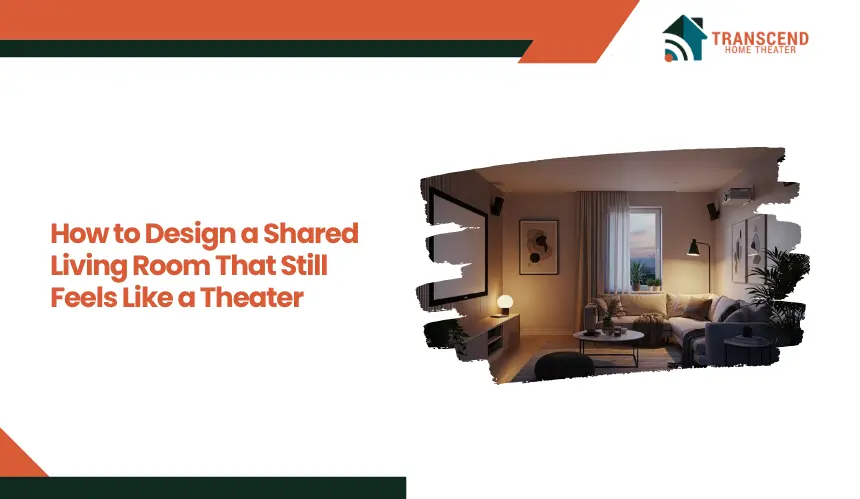
Designing a shared living room that still feels like a theater requires aligning layout, lighting, and audio-visual elements with controlled viewing conditions while preserving everyday functionality. Instead of treating the space as purely social, key adjustments in seating orientation, light control, and sound distribution create a focused viewing environment on demand.
The goal is to enable seamless switching between casual use and immersive playback without structural separation. This blog will cover how to balance both functions through practical, performance-driven design decisions.
Why Shared Living Rooms Struggle to Deliver a True Theater Experience
A standard living room is optimized for flexibility and social interaction, not controlled viewing. This creates inherent conflicts that reduce immersion, even when high-quality equipment is installed.
Shared spaces introduce multiple variables that interfere with cinematic performance. Ambient light from windows and open layouts reduces screen contrast, while reflective surfaces such as walls, floors, and ceilings scatter sound waves unevenly. As a result, dialogue clarity drops and surround effects lose directionality.
Seating arrangements further weaken the experience. Furniture is typically positioned for conversation rather than screen alignment, which leads to inconsistent viewing angles and reduced visual focus. This directly impacts perceived image quality, especially on larger displays where angle sensitivity increases.
Open-plan designs also allow external noise from adjacent areas to enter the space. Without acoustic boundaries, background activity disrupts sound precision and reduces dynamic range. Even minor distractions can break immersion during low-volume scenes.
The core issue is not the lack of technology but the absence of environmental control. A theater experience depends on managing light, sound, and spatial orientation simultaneously. When these elements remain uncoordinated, the room functions well as a living area but fails to deliver cinematic depth.
How to Design the Layout for a Shared Living Room Theater Setup
The layout determines whether the room can support both casual living and focused viewing without conflict. Spatial planning must align seating orientation, screen position, and circulation flow to enable quick functional transitions.
Zoning the Space Without Physical Barriers
Instead of adding walls, zoning relies on visual alignment and furniture positioning to define a viewing area. The primary seating should face the display directly, establishing a clear focal axis. Secondary elements such as side chairs or coffee tables should support, not disrupt, this alignment.
Rugs, lighting zones, and furniture grouping can subtly separate the “theater zone” from the rest of the room. This maintains openness while ensuring that the viewing area operates as a controlled environment when needed.
Optimal Seating Arrangement for Viewing Angles
Viewing performance depends on maintaining proper eye-level alignment and distance from the screen. Seats should be positioned within a central viewing cone to avoid distortion, brightness loss, and color shifting, particularly with LED and OLED displays, where off-axis performance varies by panel type.
Industry guidelines suggest a viewing distance of approximately 1.5 to 2.5 times the screen’s diagonal size for balanced immersion and clarity. The primary seating position should align with the center of the screen at eye level, typically placing the viewer’s eyes slightly below the vertical midpoint of the display to reduce neck strain during extended viewing.
Horizontal viewing angles should ideally stay within 30 degrees from the center axis to preserve image accuracy and consistent contrast. Beyond this range, viewers may experience reduced detail and uneven brightness, especially on larger screens.
For multi-seat arrangements, slight inward angling of outer seats helps maintain visual alignment without forcing a rigid layout. Elevated seating rows, if used, should follow a minimal height difference to prevent blocking sightlines while preserving openness in a shared living environment.
Flexible Furniture for Mode Switching
Dual-purpose rooms require furniture that adapts without friction. Modular sofas, swivel chairs, or lightweight seating elements allow quick reconfiguration between social and viewing setups.
The objective is to minimize effort when transitioning modes. If rearrangement feels cumbersome, the room defaults to its primary use, and the theater function becomes underutilized. Efficient flexibility ensures that both functions remain equally accessible.
How to Control Lighting for a Cinematic Experience in a Shared Living Room
Lighting directly determines perceived image quality and immersion. Even high-end displays underperform when ambient light, glare, and contrast ratios are not properly managed.
Managing Natural Light with Controlled Solutions
Uncontrolled daylight introduces glare and reduces black levels, which flattens image depth and weakens contrast accuracy. This effect becomes more pronounced in regions like Virginia and Maryland, where seasonal daylight variation and longer summer daylight hours increase exposure, especially in homes with large windows or open facades.
In Washington, DC, row houses and urban residences often feature front-facing windows that allow direct sunlight into living areas, creating inconsistent viewing conditions throughout the day.
In professional home theater design and installation, natural light control is treated as a foundational performance factor rather than a decorative choice. Blackout curtains, dual-layer shades, or light-filtering blinds allow adjustable control without permanently darkening the room.
The objective is not complete darkness but the ability to regulate luminance levels based on usage. Directional control, such as top-down shades, can block direct glare while maintaining ambient daylight for casual use.
Layered Artificial Lighting Design for Flexibility
A single overhead light source creates uneven illumination and visual distraction. Instead, layered lighting separates ambient, task, and accent functions to support both living and viewing modes.
Dimmable ambient lighting maintains baseline visibility without overpowering the screen. Task lighting, such as floor or table lamps, should be positioned outside the primary viewing field to avoid reflections. Accent lighting can highlight architectural elements while maintaining low intensity to preserve contrast.
Color temperature also impacts visual comfort. Warmer tones in the 2700K to 3000K range reduce eye strain and prevent color distortion compared to cooler, harsher lighting.
Bias Lighting for Contrast and Eye Comfort
Bias lighting, placed behind the screen, improves perceived contrast by stabilizing the viewer’s visual adaptation. This reduces eye fatigue during extended viewing sessions and enhances shadow detail without increasing screen brightness.
The light source should remain subtle and consistent, ideally matching neutral white tones. Excessive brightness or color variation defeats its purpose by introducing distraction rather than enhancing image clarity.
How to Achieve Cinematic Audio and Visual Performance in a Shared Living Room
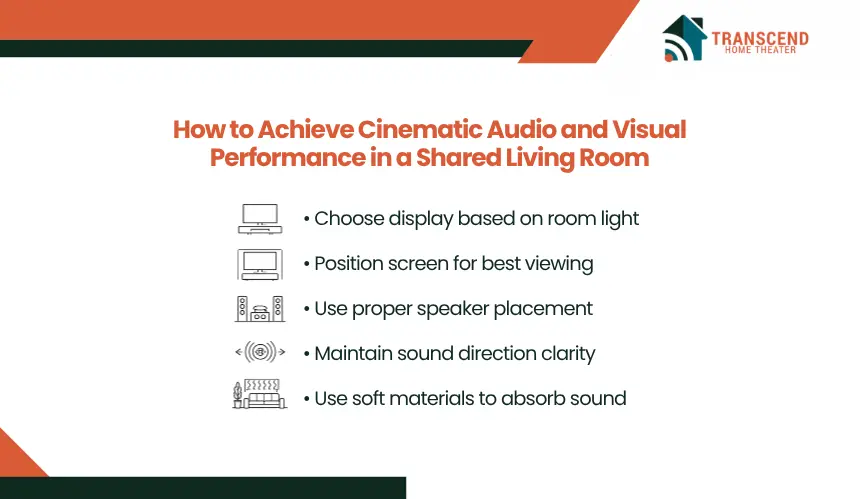
High-quality output in a shared living room depends on precise equipment selection and placement rather than building a dedicated theater. The goal is to achieve balanced performance while preserving spatial flexibility and visual simplicity.
Choosing the Right Display Based on Room Conditions
Display performance is directly influenced by room brightness, viewing distance, and wall orientation. In spaces with moderate to high ambient light, modern LED or OLED televisions maintain consistent brightness and contrast, making them more reliable than projectors.
Screen size should scale with seating distance to maintain immersion without causing visual fatigue. A common benchmark places screen size at roughly 30 to 40 degrees of the viewer’s field of vision. Oversized displays in small rooms reduce clarity, while undersized screens weaken engagement.
Wall placement also matters. Mounting the display on the longest uninterrupted wall minimizes off-axis viewing and allows better seating alignment.
Sound Placement Strategies for Open Living Spaces
Audio performance degrades quickly in open-plan environments due to sound dispersion and lack of boundaries. The objective is to maintain directional clarity without filling the room with visible hardware.
Soundbars with virtual surround processing provide a space-efficient solution for most shared rooms. For more advanced setups, a 3.1 or 5.1 speaker configuration should prioritize front channel clarity, especially for dialogue reproduction.
Speaker positioning should follow ear-level alignment for primary seating, with left and right channels forming a balanced triangle with the listener. Poor placement leads to phase issues, uneven sound distribution, and reduced intelligibility.
Using Acoustic Elements That Blend Into the Room
Hard surfaces such as glass, tile, and bare walls reflect sound waves, creating echo and reducing clarity. Instead of installing visible acoustic panels, shared living rooms can use integrated materials to manage sound behavior.
Soft furnishings such as rugs, upholstered seating, and curtains absorb mid and high frequencies, reducing reverberation. Bookshelves and textured wall elements help diffuse sound, preventing harsh reflections without altering the room’s aesthetic.
The result is a controlled acoustic environment that supports clear audio reproduction while maintaining a natural, livable appearance.
How to Maintain a Theater Aesthetic Without Compromising a Shared Living Room
Technology integration often disrupts visual cohesion when not planned alongside interior design. A shared living room must maintain a refined, livable appearance while supporting performance-driven elements.
Step 1: Concealing Wires and Equipment for a Clean Setup
Visible cables and exposed components create visual clutter and reduce perceived quality of the space. Structured cable management, including in-wall routing, raceways, or concealed conduits, keeps the setup organized and distraction-free.
Media consoles with closed storage allow placement of receivers, streaming devices, and gaming systems without exposing hardware. Proper ventilation within these units is essential to prevent heat buildup and maintain device performance.
Step 2: Aligning Technology with Interior Design Language
Screens, speakers, and accessories should complement the room’s material palette and layout rather than stand out as isolated elements. Slim-profile displays, neutral-finish soundbars, and minimalistic mounts integrate more effectively into modern interiors.
Consistency in color tones, finishes, and proportions ensures that technology blends into the environment. For example, matching a media console with wall finishes or furniture materials creates a unified visual structure instead of a fragmented setup.
Step 3: Using Multi-Functional Furniture and Built-In Solutions
Dual-purpose furniture supports both storage and performance without increasing visual density. Media walls, built-in shelving, or integrated cabinetry can house equipment while maintaining architectural balance.
Floating units and wall-mounted storage free up floor space, which improves both circulation and visual openness. The result is a layout where technology supports the experience without dominating the room’s design.
How to Seamlessly Switch Between Everyday Living and Theater Modes
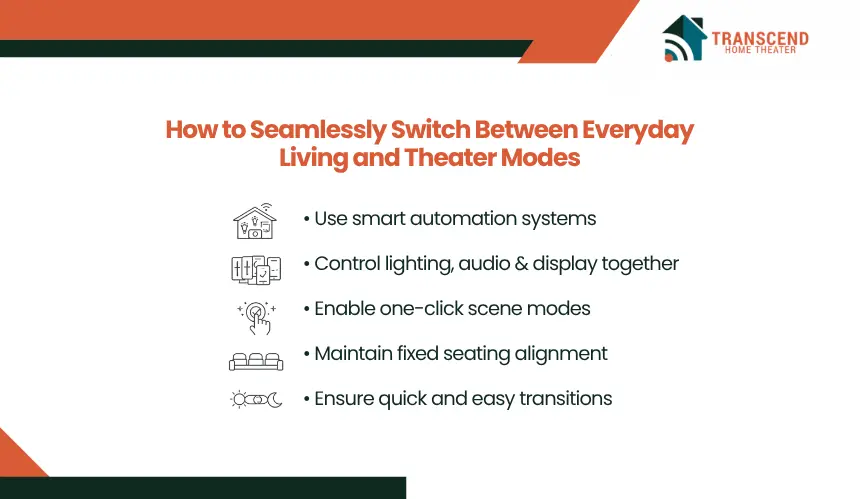
A shared living room must operate efficiently in two distinct modes without requiring manual reconfiguration each time. The transition process should be fast, repeatable, and system-driven to ensure the theater experience is consistently used rather than avoided.
Smart control systems enable synchronized adjustments across lighting, display, and audio. Pre-configured scenes can dim lights, activate bias lighting, power on devices, and adjust volume levels with a single command. This reduces setup friction and ensures optimal conditions are applied instantly.
Automation platforms integrated with mobile apps or voice assistants allow users to control the entire environment without interacting with multiple devices. This consolidation improves usability and minimizes operational complexity, especially for non-technical users.
Furniture positioning should also support quick transitions. Seating that remains aligned with the screen eliminates the need for rearrangement, while movable elements can adjust the space for social use without disrupting the primary viewing axis.
Consistency is critical. When the transition between modes becomes predictable and effortless, the room maintains both its everyday functionality and its ability to deliver a reliable cinematic experience on demand.
Designing a shared living room that performs like a theater requires more than good ideas; it demands precision in layout, lighting, and system integration. That’s where Transcend Home Theater brings measurable value. With performance-driven design and real-world installation expertise, they help transform everyday spaces into controlled cinematic environments without compromising comfort.
Frequently Asked Questions
What should be prioritized first when a shared living room needs to feel more cinematic?
The highest-return upgrades usually start with light control, seating alignment, and front-stage audio before decorative add-ons or expensive gear. Forum discussions and current setup guides consistently center on glare, sightlines, and dialogue clarity as the problems users notice first in everyday rooms.
Is a projector still worth it in a shared living room, or is a large TV the smarter choice?
A projector makes sense when nighttime viewing, wall scale, and screen size matter more than daytime brightness. In mixed-use living rooms with windows and ambient light, large OLED or LED TVs usually deliver stronger contrast consistency, faster startup, and lower friction for daily use. That tradeoff shows up repeatedly in recent enthusiast discussions and current market coverage.
How can renters create a theater-like setup without drilling into walls or making permanent changes?
Rental-friendly theater upgrades usually depend on tension rods for blackout curtains, freestanding media consoles, peel-away cable raceways, floor lamps with smart bulbs, large area rugs, and furniture-based zoning. That approach improves acoustics, glare control, and visual cohesion while avoiding structural modifications that landlords may restrict.
What usually ruins dialogue clarity in a shared living room setup?
Dialogue problems usually come from three factors working together: reflective surfaces, poor center-channel performance, and speaker placement that sits too low, too wide, or off-axis from the main seating position. In practical living-room systems, users often complain about “volume up for voices, down for effects,” which points to room acoustics more than raw speaker power.
Can a shared living room be optimized for both movie watching and gaming?
A dual-purpose setup works when the display supports low input lag and variable refresh features, while seating distance and viewing angle still suit movie immersion. The key is operational balance: gamers need responsiveness and visibility, while movie viewing depends more on contrast, sound staging, and lighting control. Recent TV positioning also emphasizes wide-angle viewing for multi-user spaces.
How much automation is actually useful in a living room theater setup?
Useful automation is usually simple, not elaborate: one scene for movie mode, one for everyday living, and synchronized control for lighting, display, and sound. The practical value is reduced setup friction. When users have to adjust multiple devices manually, the theater mode gets used less often, and the room defaults to casual viewing.