
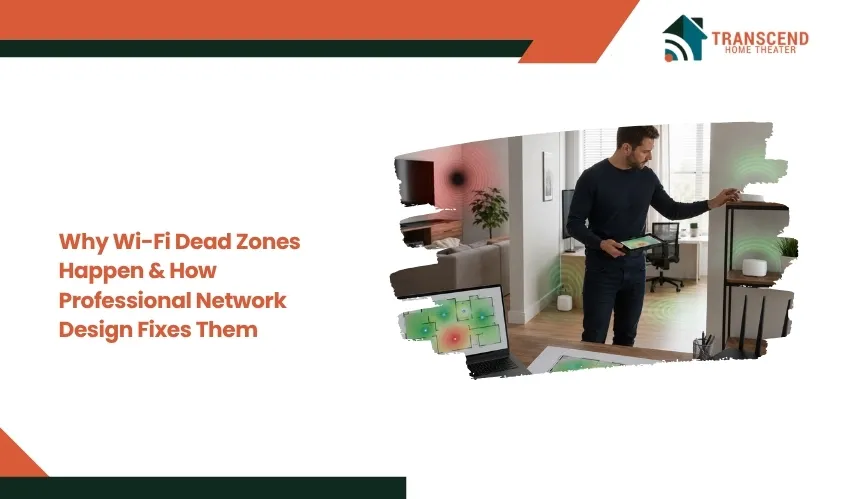
Why Wi-Fi Dead Zones Happen & How Professional Network Design Fixes Them
Key Takeaways:
|
Wi-Fi dead zones happen when wireless signals cannot reach certain areas with enough strength, stability, or bandwidth to support reliable device performance. The issue is usually not just slow internet. It often comes from poor router placement, signal-blocking materials, interference, or a network layout that does not match the property.
Professional network design fixes dead zones by planning coverage around the building, device load, access point placement, and signal behavior. This blog explains why Wi-Fi dead zones happen and how a properly designed network creates stronger, more consistent connectivity.
What are Wi-Fi dead zones and why do they matter?
Wi-Fi dead zones create areas where connected devices receive weak, unstable, or unusable wireless coverage. The problem affects more than internet speed because signal quality directly influences connection reliability, latency, and device performance.
What Does a Wi-Fi Dead Zone Actually Mean?
A Wi-Fi dead zone is a location where the wireless signal drops below the level required for normal connectivity. In these areas, devices may struggle to maintain communication with the router or access point, resulting in intermittent service or complete disconnection.
Dead zones can appear in bedrooms, home offices, basements, garages, outdoor spaces, or upper floors. Signal strength typically decreases because of distance, physical obstructions, or limitations in network design.
What Are The Common Signs of Poor Wi-Fi Coverage?
Weak Wi-Fi coverage often produces noticeable performance issues across multiple devices. Common symptoms include:
- Video calls freezing or disconnecting
- Streaming services buffering frequently
- Slow page loading despite a fast internet plan
- Smart home devices going offline
- Inconsistent speeds between rooms
- Devices reconnecting repeatedly while moving through the property
These symptoms indicate a coverage problem rather than an issue with a specific device.
Why is Internet Speed Not Always the Real Problem?
Many users assume that slow performance means they need a faster internet package. In reality, available bandwidth becomes irrelevant when devices cannot receive a stable wireless signal.
A gigabit internet connection can still perform poorly in areas with weak coverage. Signal quality, channel congestion, and network layout often have a greater impact on user experience than the speed provided by the internet service provider.
Identifying the difference between bandwidth limitations and coverage limitations is essential because each problem requires a different solution.
The Main Reasons Wi-Fi Dead Zones Happen
Wi-Fi dead zones usually form when the wireless signal loses strength before it reaches the device. The cause can be structural, technical, environmental, or a combination of several network design issues.
Building Materials That Block Wireless Signals
Wi-Fi signals weaken when they pass through dense or reflective materials. Concrete, brick, stone, metal framing, mirrors, low-E glass, foil-backed insulation, and thick flooring can absorb, reflect, or scatter radio frequency signals.
This is why two rooms with the same distance from the router can have completely different connection quality. A device behind several walls may receive far less usable signal than a device in an open hallway.
Poor Router or Access Point Placement
Router placement controls how evenly wireless coverage spreads through a property. Equipment placed in a basement, cabinet, utility room, corner, closet, or behind furniture creates uneven signal distribution.
A poorly positioned router may serve nearby rooms well but leave upper floors, far bedrooms, offices, patios, or garages with unstable coverage. Central, elevated, and obstruction-free placement usually produces stronger signal paths.
Interference From Devices and Nearby Networks
Wi-Fi uses radio frequencies that can become crowded or disrupted. Microwaves, Bluetooth devices, wireless speakers, cordless phones, baby monitors, and neighboring networks can create interference, especially on congested 2.4 GHz channels.
Interference reduces signal clarity, increases latency, and forces devices to retry data transmission. The result can feel like slow internet, even when the broadband connection itself is working normally.
Network Equipment That Cannot Match the Property Size
A single consumer router often cannot cover large homes, multi-story buildings, long floor plans, detached spaces, or commercial areas with consistent signal strength. Device count also matters because phones, laptops, cameras, smart TVs, thermostats, and security systems all compete for network resources.
When the equipment does not match the building size or usage load, weak spots become predictable. The network may need multiple access points, stronger backhaul, or a more structured wireless design instead of a single broadcast point.
Why Quick Fixes Often Fail To Solve Wi-Fi Dead Zones
Many homeowners try to eliminate dead zones by purchasing additional hardware or upgrading their internet package. These approaches can provide temporary improvement, but they rarely address the underlying coverage problem created by signal behavior and network layout.
Wi-Fi Extenders Can Reduce Performance
Wi-Fi extenders are designed to repeat an existing signal, but they depend on receiving a strong connection from the main router. If the extender itself receives a weak signal, it simply rebroadcasts that weakness to another area.
Improper placement can also introduce higher latency, inconsistent roaming, and lower throughput. Users may see more bars on their devices while experiencing little improvement in actual performance.
More Internet Speed Does Not Fix Bad Signal Coverage
Increasing internet speed does not change how wireless signals travel through a building. A faster broadband plan cannot overcome concrete walls, interference, or poor equipment placement.
For example, a home with a gigabit connection may still experience buffering or dropped video calls if devices are operating in areas with low signal strength. Coverage limitations and bandwidth limitations are separate issues that require different solutions.
Mesh Systems Still Need Proper Design
Mesh Wi-Fi systems can improve coverage, but performance depends heavily on node placement and communication paths between units. Poorly positioned mesh nodes can create the same coverage gaps they are meant to solve.
In communities around Clifton, VA, many properties sit on larger lots and feature multi-level layouts, finished basements, detached garages, or outdoor living areas. A mesh node placed too far from the primary router may struggle to maintain a strong backhaul connection, resulting in slower speeds and inconsistent performance across the property.
Without coverage planning, adding more mesh units can create unnecessary overlap, channel congestion, and inefficient roaming between devices. Effective wireless performance depends on network design, not simply the number of devices installed.
How Professional Network Design Fixes Wi-Fi Dead Zones
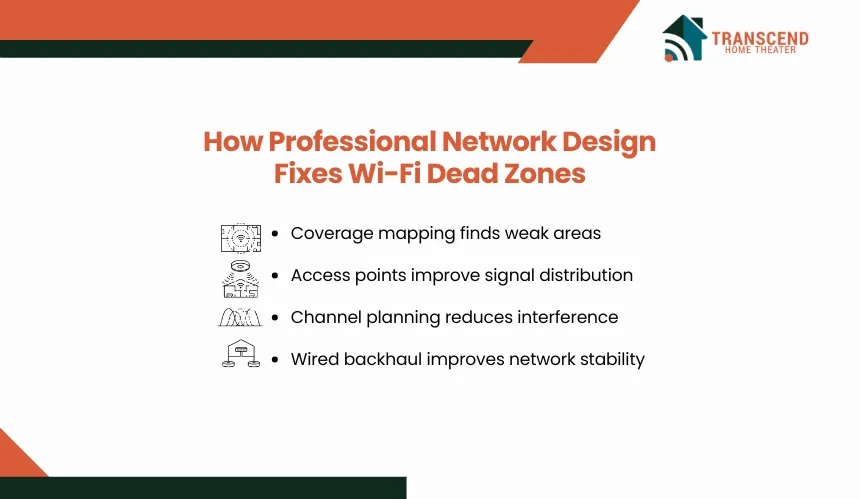
Professional network design addresses the root causes of weak coverage instead of treating the symptoms. The process combines signal analysis, infrastructure planning, and equipment optimization to create consistent wireless performance throughout the property.
Site Assessment And Coverage Mapping
Network professionals begin by evaluating the physical environment and identifying areas where signal loss occurs. Factors such as floor plans, wall materials, room usage, device density, and existing infrastructure influence how Wi-Fi behaves.
Coverage mapping helps reveal dead zones, overlapping signals, and areas affected by interference. This assessment provides a foundation for designing a network that matches the actual requirements of the building rather than relying on assumptions.
Important: A speed test only shows performance at one moment. A stronger validation method is checking RSSI, roaming behavior, and signal stability in high-use areas. If signal strength drops too low, devices may roam poorly, disconnect, or deliver unstable video calls even when the internet plan itself is fast. |
Strategic Access Point Placement
Access points are positioned based on signal propagation patterns, expected device usage, and roaming requirements. The objective is to provide complete coverage while maintaining appropriate overlap between wireless cells.
Instead of concentrating signal strength in one area, professionals distribute coverage evenly across high-demand spaces such as home offices, entertainment rooms, conference areas, and outdoor zones. Proper placement reduces weak spots and creates a more stable user experience.
Proper Channel And Frequency Planning
Modern Wi-Fi networks operate across multiple frequency bands, including 2.4 GHz, 5 GHz, and 6 GHz. Each band offers different characteristics related to speed, range, and interference resistance.
Professional network design includes channel selection, bandwidth allocation, and radio tuning to minimize congestion from nearby networks and connected devices. This process improves signal efficiency and reduces unnecessary competition between wireless channels.
Wired Backhaul And Network Infrastructure Planning
Reliable Wi-Fi depends on the underlying infrastructure supporting it. Professionals often use Ethernet cabling, Power over Ethernet switches, and wired backhaul connections to ensure access points communicate without sacrificing wireless bandwidth.
This architecture delivers higher throughput, lower latency, and greater stability compared to fully wireless expansion methods. It also creates a scalable foundation that supports additional access points, smart home devices, security cameras, and future technology upgrades without introducing new coverage problems.
If persistent Wi-Fi dead zones continue to affect your home or business, a professionally designed network can provide a long-term solution instead of another temporary fix. Transcend Home Theater designs and installs customized networking solutions for properties throughout Maryland, Virginia, and Northwest Washington, DC, helping homeowners achieve reliable coverage, stronger performance, and seamless connectivity in every part of their space.
What A Professionally Designed Wi-Fi Network Improves
A properly engineered wireless network delivers more than stronger signal strength. Professional design improves coverage consistency, device performance, roaming behavior, and long-term scalability across the entire property.
Stronger Coverage Across The Entire Property
Professional network design eliminates weak spots by distributing wireless coverage according to the layout of the building. Instead of relying on a single router, strategically placed access points provide reliable connectivity in bedrooms, home offices, basements, media rooms, and outdoor spaces.
This approach creates a more uniform signal environment and reduces the coverage gaps that commonly develop in larger or more complex floor plans.
Better Performance For High-Demand Devices
Modern homes often support dozens of connected devices simultaneously. Streaming platforms, gaming consoles, video conferencing systems, smart TVs, security cameras, and home automation devices all place different demands on the network.
A professionally designed Wi-Fi system balances these demands more effectively, reducing congestion and maintaining stable performance during peak usage periods.
Smoother Roaming Between Rooms And Floors
As users move throughout a property, devices should transition between access points without noticeable interruptions. Proper overlap and signal tuning allow phones, tablets, and laptops to maintain connectivity without dropping calls or restarting streams.
This seamless roaming experience becomes especially valuable in homes where occupants frequently move between living areas, workspaces, and outdoor entertainment zones.
Pro tip: For better roaming, use the same Wi-Fi network name, password, and security settings across supported access points and frequency bands. Separate names for 2.4 GHz, 5 GHz, or 6 GHz can cause devices to hold onto the wrong band or reconnect less reliably as users move through the property. |
A Network That Can Scale With Future Needs
Network requirements continue to grow as more smart devices and bandwidth-intensive applications enter the home. Professional infrastructure planning creates capacity for future expansion without requiring a complete redesign.
In Clifton, VA, many properties include dedicated media rooms, home offices, outdoor gathering spaces, and expanding smart home ecosystems. Homeowners investing in custom WiFi installation in Clifton, VA, often prioritize long-term flexibility so their networks can support additional security cameras, smart lighting systems, and connected entertainment devices as technology needs evolve.
A scalable design protects the investment and reduces the need for repeated upgrades as device counts increase.
When To Consider Professional Wi-Fi Network Design
Not every connectivity issue requires a complete network redesign. However, recurring performance problems often indicate that the existing setup no longer matches the property’s layout, device demands, or coverage requirements.
You Have Repeated Dead Zones After Basic Fixes
If dead zones persist after relocating the router, restarting equipment, changing settings, or adding range extenders, the issue is likely structural rather than temporary.
Recurring weak spots usually point to limitations in signal distribution, interference management, or equipment placement. Continuing to add devices without addressing the underlying design often increases complexity without delivering consistent results.
Your Property Has Multiple Floors, Thick Walls, Or Outdoor Areas
Large homes and architecturally complex properties create challenges that a single wireless device cannot always overcome. Dense construction materials, long hallways, finished basements, detached garages, and outdoor living spaces can interrupt signal propagation.
Properties with these characteristics typically benefit from multiple access points and a coverage plan designed around how signals interact with the structure itself.
Your Wi-Fi Supports Work, Security, Or Many Connected Devices
Modern networks often support remote work applications, cloud services, surveillance systems, streaming platforms, gaming devices, and smart home technology simultaneously.
When internet connectivity affects productivity, security monitoring, or day-to-day operations, network reliability becomes more important than raw speed. A professionally designed system provides the capacity, redundancy, and coverage required to support these demands without performance bottlenecks.
Persistent connectivity issues are often a sign that the network has outgrown its original design. Investing in professional network planning becomes a practical decision when reliability, coverage, and device performance directly impact how the property is used.
Important: Professional Wi-Fi planning should also review router firmware, encryption settings, and update policies. WPA3 or WPA2/WPA3 transitional security, automatic firmware updates, and modern router software reduce exposure to vulnerabilities while supporting better reliability for smart devices, work systems, and connected entertainment equipment. |
Frequently Asked Questions
How do I know if the problem is my internet provider or my Wi-Fi network?
Run a wired speed test near the modem, then compare it with wireless performance in different rooms. If wired speeds are stable but Wi-Fi drops in specific areas, the issue is usually wireless coverage, interference, or access point placement. If both wired and wireless speeds fail, the internet service or modem may need review.
Can Wi-Fi 6 or Wi-Fi 7 fix dead zones by itself?
Wi-Fi 6 and Wi-Fi 7 can improve capacity, efficiency, and device handling, but they cannot fully solve coverage gaps caused by thick walls, long distances, poor placement, or weak backhaul. Newer standards perform best when paired with proper access point design, channel planning, and infrastructure that matches the property layout.
Is a wired access point better than a mesh Wi-Fi system?
A wired access point usually delivers stronger stability because it uses Ethernet backhaul instead of relying on wireless communication between nodes. Mesh systems can work well in some homes, but performance drops when nodes are too far apart or blocked by building materials. Wired access points are better for high-demand, multi-room coverage.
Why does my Wi-Fi work in one room but fail in the next room?
Wi-Fi signal strength can change sharply between rooms because walls, flooring, mirrors, appliances, and furniture affect radio frequency movement. One room may have a clear signal path, while the next may sit behind dense materials or interference sources. This creates uneven coverage even when both rooms are close to the router.
How many access points does a large home usually need?
The right number depends on square footage, floor levels, construction materials, device count, and outdoor coverage needs. Many large homes need more than one access point, but adding too many can create overlap and channel congestion. A site assessment determines where each access point should go for balanced signal distribution.
What makes custom Wi-Fi installation in Clifton, VA different from a standard router setup?
Custom Wi-Fi installation in Clifton, VA is designed around the property’s structure, lot size, room usage, and connected systems. Many homes in the area include finished basements, media rooms, home offices, and outdoor spaces. A standard router may not support these zones consistently without planned access point placement and backhaul support.